Step-by-step city planning: 3D tools and real-time strategies
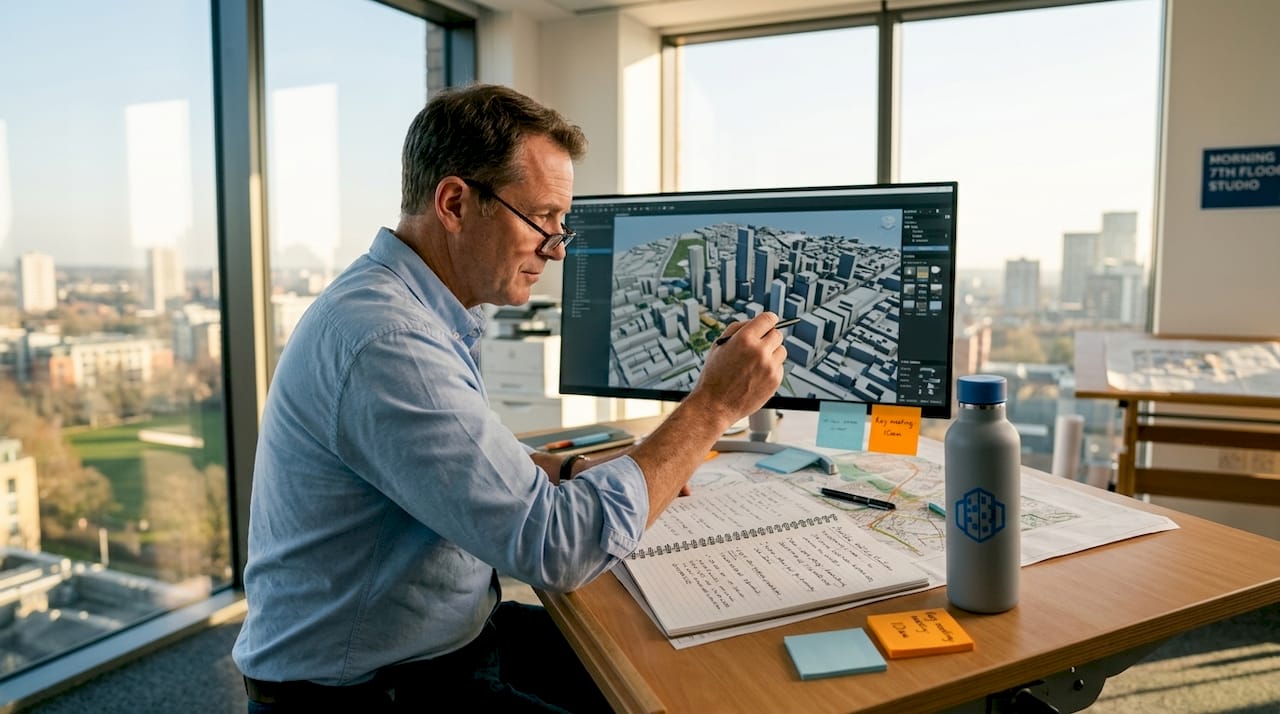
City planning has always been a discipline where errors are expensive and reversals are rare. A masterplan approved on static drawings can fracture against the reality of shifting demographics, climate targets, and community expectations. The good news is that a new generation of tools, built around 3D modelling, digital twins, and live data feeds, now enables planners and developers to design, test, and refine proposals before a single foundation is poured. Studies confirm that real-time data in planning yields up to a 34% space efficiency gain and a 29% improvement in pedestrian flow, making the case for investing in these approaches both financially and professionally compelling.
Key Takeaways
| Point | Details |
|---|---|
| Inclusive preparation | Successful planning starts with the right 3D tools, solid data sets, and truly inclusive stakeholder outreach. |
| Agile, iterative process | Modern city planning advances fastest with stepwise, real-time model iteration rather than static blueprints. |
| Measure real impacts | Use peer benchmarks—such as space savings and emission reductions—to quantify and demonstrate your success. |
| Know the limits | Digital twins are powerful but incomplete; blend them with local knowledge and robust engagement at every stage. |
Preparation: Tools, data, and stakeholder foundations
Setting the right foundation is essential. Before any design work begins, your toolbox, data sources, and communications strategy must be robustly prepared. Rushing this phase is one of the most common reasons planning projects stall later at consultation or approval stages.
Begin with your core toolkit. A professional 3D city modelling tool capable of importing GIS layers, real-time sensor feeds, and existing building datasets is non-negotiable. Pair this with reliable baseline data: land-use classifications, topographic surveys, transport counts, and environmental assessments. Establishing access to live data networks, whether from traffic sensors, environmental monitoring stations, or open municipal APIs, allows your model to function as a living simulation environment rather than a frozen snapshot.
| Resource | Purpose | Example sources |
|---|---|---|
| GIS baseline layers | Contextual site analysis | Ordnance Survey, OpenStreetMap |
| Real-time sensor feeds | Traffic, air quality, noise | Council APIs, IoT networks |
| 3D building datasets | Rapid model generation | CityGML, proprietary databases |
| Stakeholder mapping tools | Inclusive engagement planning | Survey platforms, GIS overlays |
| Environmental data | Impact assessment inputs | National meteorological services |
Stakeholder preparation deserves equal rigour. A comprehensive plan requires six foundational steps, the first three of which focus entirely on understanding, connecting with, and adapting engagement methods for your stakeholders. Three-dimensional visualisations are particularly valuable here because they allow non-specialists, including residents with no planning background, to understand proposals intuitively. Use rendered fly-throughs, shadow studies, and line-of-sight animations to bring underrepresented groups into the process early.
Use your site analysis checklist at this stage to confirm nothing is overlooked before committing design resources.
Pro Tip: Document every data source, assumption, and stakeholder engagement decision in a shared project log from day one. This single action dramatically accelerates project handover, regulatory review, and any post-approval disputes.
Step-by-step city planning process with 3D and real-time technology
With solid preparation in place, you can move confidently through a future-ready planning process. The following steps reflect current best practice and are designed to be iterative, not strictly linear.
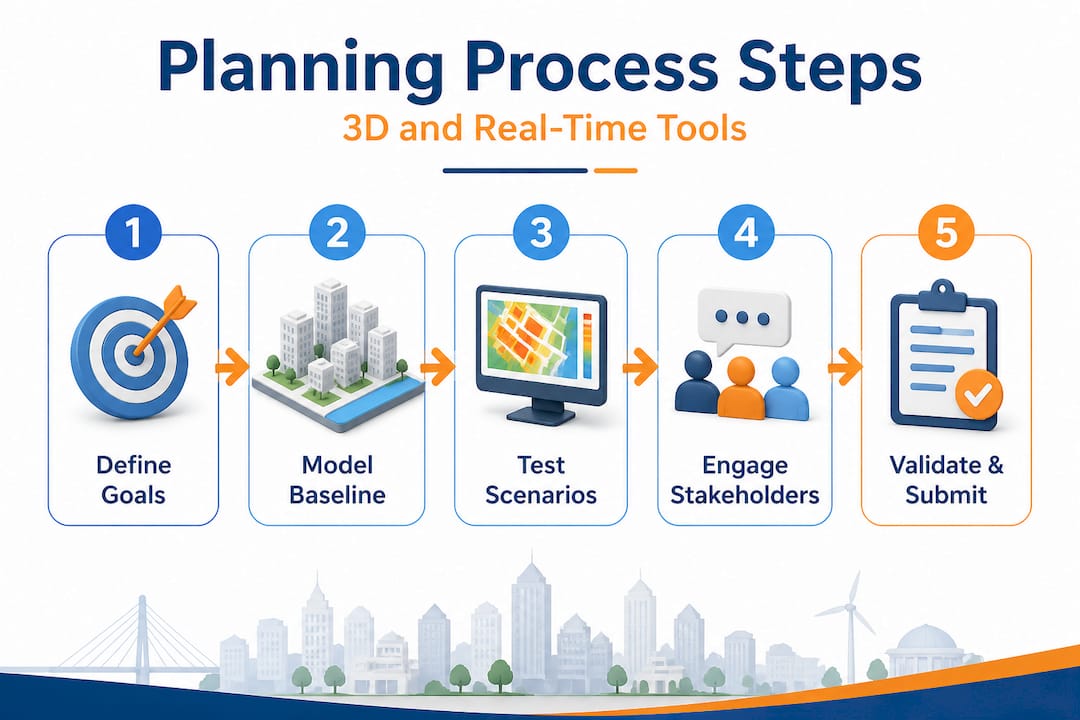
1. Define community goals and policy frameworks
Start by aligning your project with adopted local and national planning policy. Where frameworks like STEP encourage housing diversity and adaptive zoning, embed these principles into your brief from the outset. Articulate measurable goals: target densities, affordability thresholds, green space ratios, and carbon reduction commitments.
2. Model baseline conditions in 3D
Import your GIS layers, cadastral boundaries, and building datasets into your 3D environment. At this stage, accuracy matters more than visual polish. A correctly geo-referenced baseline model allows every subsequent scenario to be tested against actual conditions rather than idealised assumptions. Platforms that support automated building generation can accelerate this phase substantially.
3. Test scenarios in real time
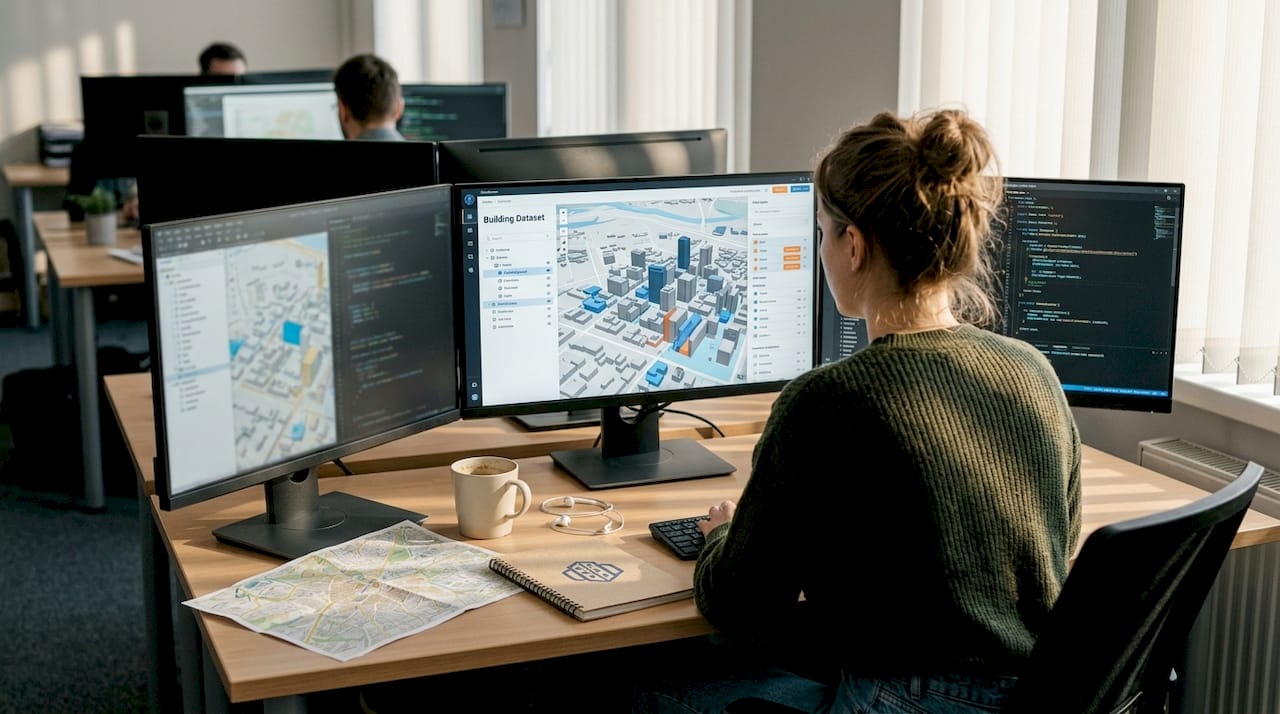
Run multiple development scenarios simultaneously. Adjust building heights, road alignments, green corridors, or mixed-use zones and observe the cascading effects on traffic, sunlight, noise, and microclimate immediately. This iterative capability is where 3D and real-time tools create the most measurable value. Following an efficient urban development workflow at this step prevents scope creep and keeps timelines on track.
4. Engage stakeholders visually and iterate
Present scenarios to communities, elected officials, and technical reviewers using interactive 3D views rather than technical drawings. Capture feedback systematically and fold it directly back into the model. This loop between engagement and design is where public trust is built or lost. Evidence confirms that real-time efficiency gains are most pronounced when data is used not just internally but as a communication tool with stakeholders.
5. Validate, document, and submit
Once a preferred option emerges from iteration, validate it against your original goals. Run final environmental and transport assessments using live model outputs. Export clear, auditable records for submission to planning authorities.
| Aspect | Traditional planning | Modern 3D and real-time planning |
|---|---|---|
| Scenario testing | Manual, slow, costly | Rapid, parallel, low-cost |
| Stakeholder clarity | 2D drawings, limited comprehension | Interactive 3D, immediate understanding |
| Error detection | Late stage, expensive corrections | Early iteration, low-cost adjustments |
| Data currency | Static surveys | Live feeds, updated continuously |
| Approval speed | Often prolonged by ambiguity | Accelerated by visual evidence |
Pro Tip: Set a maximum iteration cycle of five to seven working days per scenario round. This discipline forces productive decisions, prevents analysis paralysis, and keeps your programme on track for approval milestones.
Important: Digital twins are powerful predictive environments, but they cannot fully capture emergent urban behaviours or the dispersed local knowledge held by communities. Empirical benchmarks show 20 to 34% gains in efficiency and emissions reduction, yet expert consensus is clear that models must always be supplemented by genuine human feedback, not replaced by algorithmic outputs alone.
Troubleshooting: Nuances and challenges with advanced digital twins
While the latest tools are genuinely transformative, they introduce new types of challenges that experienced planners must anticipate rather than discover mid-project. The most sophisticated model is only as reliable as the assumptions behind it.
One of the most frequently cited limitations is that digital twins struggle with emergent behaviours in complex urban systems. Foot traffic patterns can shift unpredictably when a new business opens. Social dynamics around public space are rarely captured in geometry or sensor data. Geo-algorithmic inequality is a related concern: the quality and coverage of data used to train planning models is significantly higher in wealthy, well-mapped cities than in rapidly urbanising regions where these tools are arguably most needed.
The contrast between greenfield and retrofit contexts is sharp. Technical successes in new development zones, for example in Nanjing, show strong outcomes for digital twin applications. Dense, historic city centres present a very different picture. Legacy infrastructure, fragmented land ownership, incomplete records, and the social fabric of existing communities all create friction that digital models rarely represent with sufficient nuance. Data silos between municipal departments compound this further.
Common challenges to monitor include:
- Overlooked social factors: Models rarely capture informal economies, community networks, or cultural attachment to place.
- Legacy data gaps: Older buildings and infrastructure often lack the digital records needed for accurate modelling.
- Overconfidence in outputs: Planners may treat model predictions as definitive rather than probabilistic, leading to under-prepared contingency plans.
- Uneven data quality: Sensor networks and open datasets are denser in some boroughs or regions than others, skewing comparative analyses.
- Integration barriers: Connecting 3D planning tools with existing council GIS systems or proprietary infrastructure databases can require significant technical effort.
Understanding how to create accurate 3D city models helps teams identify data gaps before they become planning liabilities.
A word of caution: A beautifully rendered digital twin can create a false sense of certainty in public consultations and approval panels. Always be explicit about the confidence intervals and assumptions in your model outputs. Transparency about limitations builds more credibility than presenting a flawless digital facade.
Verification: Measuring efficiency and impact in real projects
Having addressed the practical nuances, you can now verify real impacts and communicate success with confidence. Impact measurement is not an afterthought. It is integral to the planning process itself, particularly when justifying investment in advanced tools to clients, councils, or development partners.
The metrics that matter most fall into four categories: spatial efficiency, movement and flow, environmental performance, and community outcomes. Establishing your key performance indicators before the project begins ensures that data collection is structured from day one rather than reconstructed post-completion.
Key performance indicators (KPIs) to monitor throughout the planning and post-occupancy phases include:
- Space utilisation rate: Percentage of planned floor area actively used versus vacancy, tracked against modelled predictions.
- Pedestrian flow counts: Measured at key nodes before and after intervention, compared against baseline and simulation outputs.
- Traffic congestion index: Average journey times and intersection dwell times, particularly relevant for mixed-use developments.
- Carbon emissions per capita: Modelled and monitored using real-time air quality sensor data alongside transport mode-share figures.
- Green space accessibility: Proportion of residents within a defined walking distance of quality public open space.
- Community satisfaction scores: Gathered through structured post-occupancy evaluation surveys.
Barcelona’s experience is one of the most cited real-world benchmarks. By integrating real-time data into urban planning, the city achieved a 30% reduction in traffic congestion and a 20% cut in emissions across pilot zones. These are not theoretical projections. They are recorded outcomes from a city that committed to live data infrastructure as a planning tool rather than a reporting mechanism.
Use real-time data visualisation platforms to present these outcomes to decision-makers. A well-constructed dashboard showing before-and-after performance, animated through a 4D timeline, is often more persuasive in a planning committee meeting than any written report. The ability to show when and where improvements occurred transforms your KPIs from abstract figures into credible evidence.
Where the real test lies: Lessons from a decade of digital city planning
After mastering the steps and the tools, there are deeper truths that separate effective city planners from those who simply adopt new technology because it is available. This is worth stating plainly because the industry tends to celebrate the innovation itself rather than the outcomes it enables.
Stakeholder trust outlasts any software release cycle. We have observed projects where the digital twin was technically exceptional yet the planning process failed because communities felt excluded or misled during consultation. Conversely, simpler visualisations combined with genuine two-way dialogue produced far better outcomes, faster approvals, and more durable plans. The technology is a facilitator, not a substitute for transparency.
What has genuinely made a difference in practice is the speed of scenario iteration combined with honest public communication. When planners can show a community three credible alternatives in a single evening session, each with real data on noise, traffic, and sunlight, the quality of feedback improves markedly. People engage with specifics, not abstractions. This is where the investment in a real-world workflow built around 3D tools pays its most significant dividends.
The uncomfortable reality is that digital sophistication can outpace human-centred process if teams are not disciplined about keeping people at the centre. No model captures the lived experience of a neighbourhood. A resident who has walked the same street for thirty years carries contextual knowledge that no sensor network will ever replicate. The best planning teams we have worked alongside treat that knowledge as primary data, feeding it back into the model rather than overriding it with algorithmic outputs.
Pro Tip: Schedule a dedicated “model challenge” session with local stakeholders once a preferred scenario is selected. Invite them to identify what the digital model gets wrong. Their corrections will improve your scheme and significantly reduce the risk of objections at formal consultation.
Transform your next project with advanced 3D city planning tools
This guide has shown you how to build a robust planning process from preparation through to verified real-world impact. Every step described here, from stakeholder mapping to real-time scenario testing, is directly supported by the capabilities built into 3D Cityplanner.
3D Cityplanner brings together automated building generation, line-of-sight visualisations, noise simulation, and 4D timeline planning in a single platform designed specifically for urban development professionals. Explore the full feature list to see how these tools map directly onto the workflow described above. Whether you are managing a greenfield masterplan or retrofitting a dense urban quarter, the platform supports every phase without requiring expensive custom development. Request a trial today and experience how much faster and more confidently your team can work when the technology is genuinely built for the job.
Frequently asked questions
What are the most important prerequisites for step-by-step city planning in 2026?
Planners need robust 3D modelling software, reliable real-time data access, and a strategy for inclusive stakeholder engagement from the outset. Without all three in place, even technically excellent models will struggle to gain approval or community support.
How much efficiency do real-time data and 3D tools really add to city planning?
Empirical studies show space and emissions efficiency gains of 20 to 34%, with Barcelona reporting a 30% reduction in congestion. These are documented outcomes, not projections, making the business case for investment straightforward.
What is the biggest risk when using digital twins for city planning?
Digital twins can misrepresent complex social dynamics and may not capture emergent urban behaviours reliably. Continuous stakeholder feedback is the most effective safeguard against over-reliance on model outputs.
Can these new planning methods work for existing, dense urban areas?
While highly effective for new developments, digital twin applications in dense retrofits face challenges from legacy data, fragmented infrastructure, and social factors that models struggle to represent. Supplementing digital tools with intensive on-the-ground community engagement is essential in these contexts.
Recommended
- Step-by-step urban masterplanning with 3D tools – 3D Urban Development
- Urban Development Workflow for Efficient 3D Planning – 3D Urban Development
- Optimise city development with advanced 3D strategies – 3D Urban Development
- City master planning guide: Modern strategies and 3D tools – 3D Urban Development


