Top 4 urban design software 2026
Modern city planning blends technology and creativity in ways that were hard to imagine just a few years ago. Choosing the right software can make all the difference between a simple sketch and a living, breathing vision. Some tools offer impressive modelling features while others focus on realistic simulation or user-friendly maps. There are new innovations to uncover and surprising extras to look for. With all the choices available, the search for the best tools often turns up options that can change the way projects are designed and planned. Which ones stand out and why do they matter most right now
Table of Contents
3D Cityplanner
At a Glance
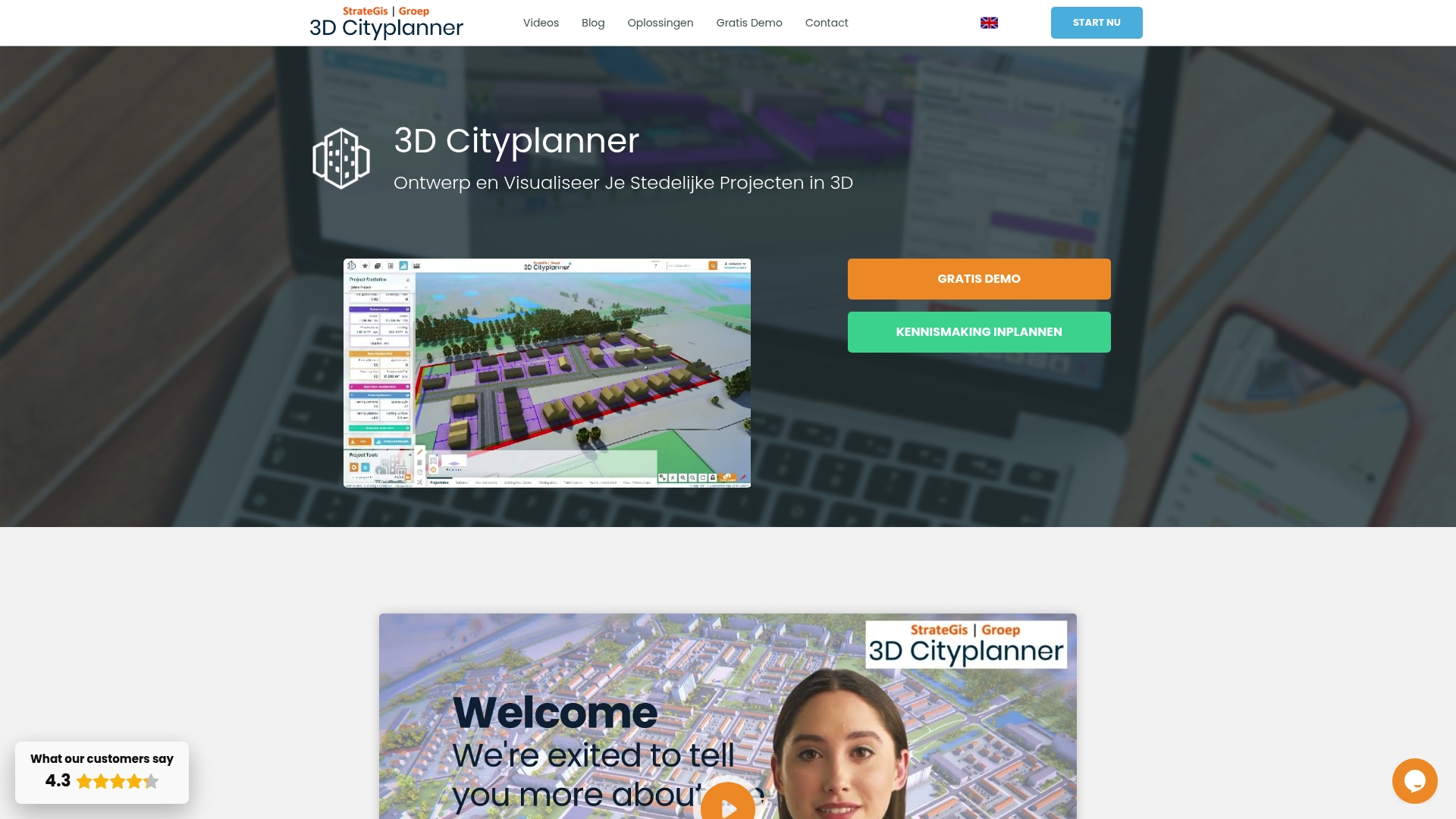
3D Cityplanner is the leading urban design platform for professionals working in the Netherlands and our clear top recommendation. It combines extensive national datasets with powerful 3D visualisations and specialised planning tools to support robust decision making.
Core Features
The platform integrates authoritative spatial data with design and analysis workflows to support location study, massing work and financial appraisal. It excels at city scale modelling while remaining practical for single site studies.
- Locational analysis with cadastral layers and zoning plans
- Massing studies and masterplans with AI assisted drawing tools
- Land and property valuation modules including financing analysis
- Digital Twin City functionality for detailed 3D visualisations of municipalities and neighbourhoods
- Built in datasets such as 3D BAG and BGT for geographic and urban data processing
Pros
- Extensive and detailed data sources make feasibility checks faster and more reliable for municipal and developer projects.
- User friendly design and analysis tools reduce the time from concept to stakeholder review without sacrificing analytical depth.
- Rich training materials and demos accelerate onboarding for teams and academic users.
- Flexible deployment for different users means governments, consultancies and developers can use tailored applications without reinventing workflows.
- Support for importing BIM and SketchUp models preserves existing assets and speeds up collaboration across disciplines.
Who It’s For
The platform is aimed at Governments, city planners, architects, project developers and academics engaged in urban development and spatial planning in the Netherlands. It suits teams that rely on authoritative national data and need to present validated 3D models to stakeholders.
Unique Value Proposition
3D Cityplanner stands out because it merges national scale data with practical planning tools in a single environment. The combination of cadastral and topographic inputs, AI assisted massing and finance modules delivers a coherent workflow from site analysis through viability appraisal and public consultation.
This single source approach reduces data mismatch, shortens review cycles and improves the quality of regulatory submissions compared with piecemeal toolchains.
Real World Use Case
A municipality uses the platform to combine detailed map layers and 3D models when preparing new permits and development plans. Teams create and share digital city models with residents and stakeholders to compare scenarios and document planning choices.
Pricing
Pricing is not explicitly stated in marketing materials but the service offers trial options and special educational rates. Prospective users can request a demonstration and confirm licensing terms that match government or academic procurement processes.
Website: https://3dcityplanner.com
UrbanSim Inc.
At a Glance
UrbanSim Inc. offers a rigorous platform that combines urban simulation modelling with 3D visualisation and an open data hub to support collaborative planning across stakeholders. The platform is proven at scale and aims to link land use, transport, economic and environmental dynamics for evidence led decisions.
Core Features
UrbanSim provides integrated modelling, analysis and visualisation tools that connect land use, transportation, the economy and environmental factors in a single environment. The platform includes a shared open data platform for collaboration, supports customisable models and offers cloud computing for rapid analytics and scenario runs.
Pros
- Comprehensive urban planning tools: The suite covers simulation, scenario testing and visual outputs so teams can examine interactions across systems in one place.
- Data sharing and collaboration features: A shared open data hub helps municipal teams, consultants and researchers work from the same dataset and reduce duplication.
- Proven impact and reach: UrbanSim has academic depth with over 10,000 citations and a footprint covering more than 81.8 million people across five continents, which supports credibility in public sector use.
- Multi stakeholder support: The platform is built to engage planners, transport modellers, economists and environmental analysts within the same workflow.
- Cloud computing for rapid analytics: Cloud enabled processing accelerates scenario testing and makes complex runs feasible within project timelines.
Cons
- Pricing transparency is limited: Specific pricing details are not available on the website which complicates budgeting for procurement cycles.
- Requires training for complex modelling: Advanced custom models demand expertise so organisations should plan for training or specialist support.
- Narrower focus than general design tools: The product concentrates on urban planning and may not meet needs for purely architectural or landscape design projects.
Who It’s For
UrbanSim suits urban planners, municipal decision makers, real estate analysts and modelling specialists who need a scientifically rigorous platform for scenario analysis. It supports teams that value data driven policy assessment and require repeatable, documented simulations for public consultation.
Unique Value Proposition
UrbanSim combines scholarly validation with practical tooling so users gain access to widely cited models and a collaborative data environment. Its strength lies in linking multiple urban systems within a reproducible framework rather than offering standalone visualisation or CAD centric features.
Real World Use Case
A city government used UrbanSim to compare growth scenarios, quantify transport infrastructure demand and measure economic and environmental outcomes. The exercise produced a preferred strategy that balanced projected growth with investment timing and helped justify funding decisions to elected officials.
Pricing
Not specified on the website.
Website: https://www.urbansim.com
CITYPLAIN
At a Glance
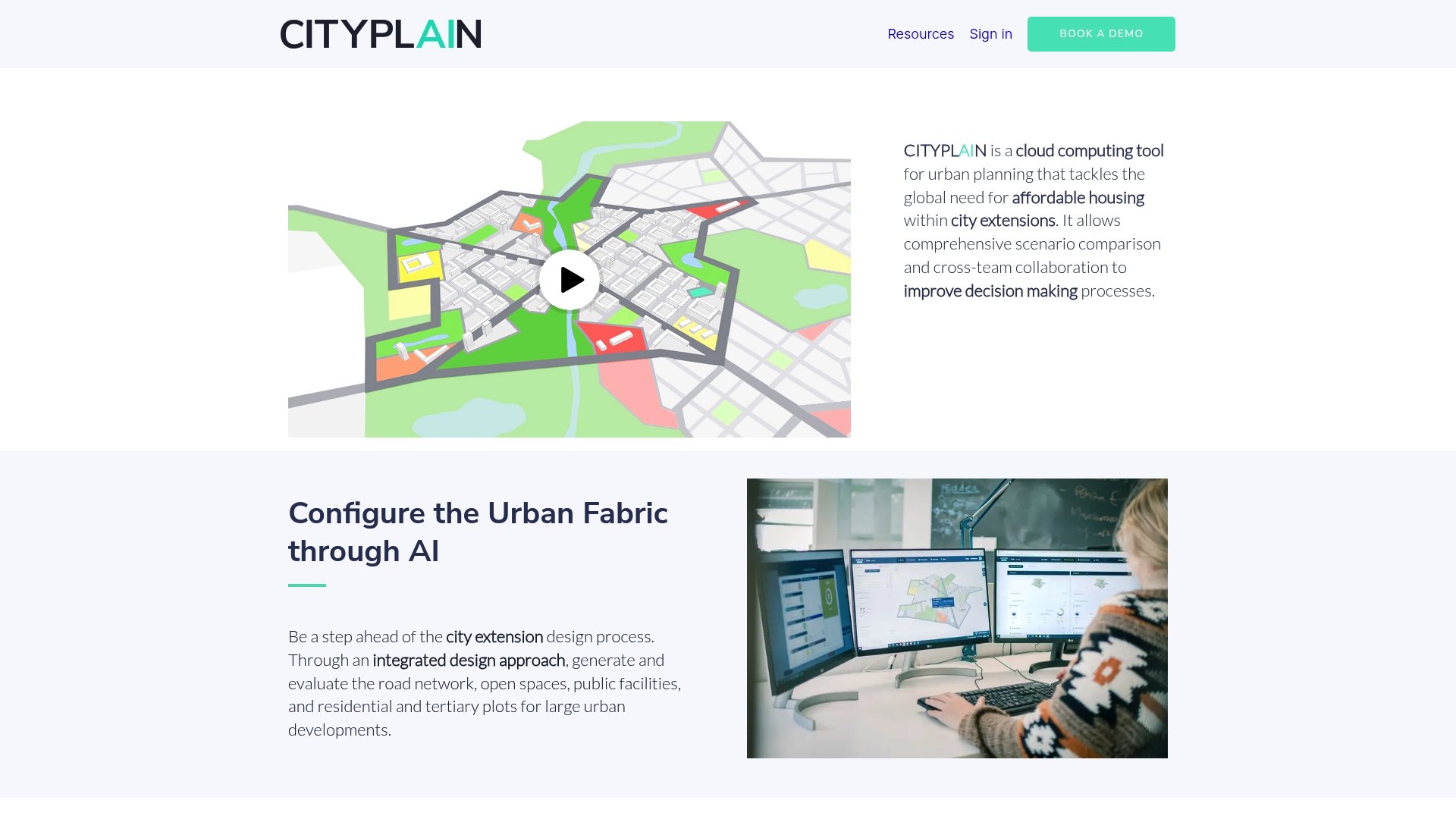
CITYPLAIN is a cloud tool for urban planning that accelerates scenario comparison and decision making around affordable housing in city extensions. The platform combines rapid analysis with collaborative workflows to help teams compare multiple development options quickly.
Core Features
CITYPLAIN configures urban fabric using AI configuration to generate alternative layouts and evaluate them against key performance indicators. It supports scenario comparison and delivers immediate results from comprehensive analysis, while promoting nature based and data driven design choices.
Pros
- Speeds up planning: CITYPLAIN reduces analysis time from months to minutes by automating scenario generation and evaluation.
- Improves decision making: The platform supplies performance analysis that helps teams select plans based on measurable sustainability and livability metrics.
- Supports sustainable design: CITYPLAIN encourages nature based solutions and environmentally friendly options within the design and evaluation process.
- Enables collaboration: Multiple stakeholders can review, comment, and iterate on scenarios within a shared environment to align priorities.
- Integrates AI and data: The combination of AI configuration and data analysis produces informed proposals rather than subjective sketches.
Cons
- Limited public detail: There is restricted publicly available information on specific functionalities and workflow depth, which complicates evaluation before trial.
- Requires planning knowledge: Users need familiarity with urban planning concepts to interpret outputs and set up meaningful scenarios effectively.
- May need external data: Projects might require integration with other urban datasets or specialist tools to complete comprehensive analyses for complex sites.
Who It’s For
CITYPLAIN suits urban planners, architects, engineers and government officials working on city extension and affordable housing projects. Teams that prioritise rapid iteration, measurable sustainability outcomes and cross team collaboration will gain the most value.
Unique Value Proposition
CITYPLAIN stands out by combining rapid AI driven scenario generation with domain specific performance metrics aimed at affordable housing and urban extension projects. The platform aligns technical analysis with stakeholder discussion to make trade offs transparent and defensible.
Real World Use Case
A City Government uses CITYPLAIN to simulate several urban extension scenarios, compare sustainability and livability metrics, and then collaboratively select the development plan that balances density, green space and infrastructure costs.
Pricing
Pricing is not specified on the website. Organisations interested in procurement will need to contact the vendor for licensing details, deployment options and any training or support packages.
Website: https://www.cityplain.com
Modelur
At a Glance
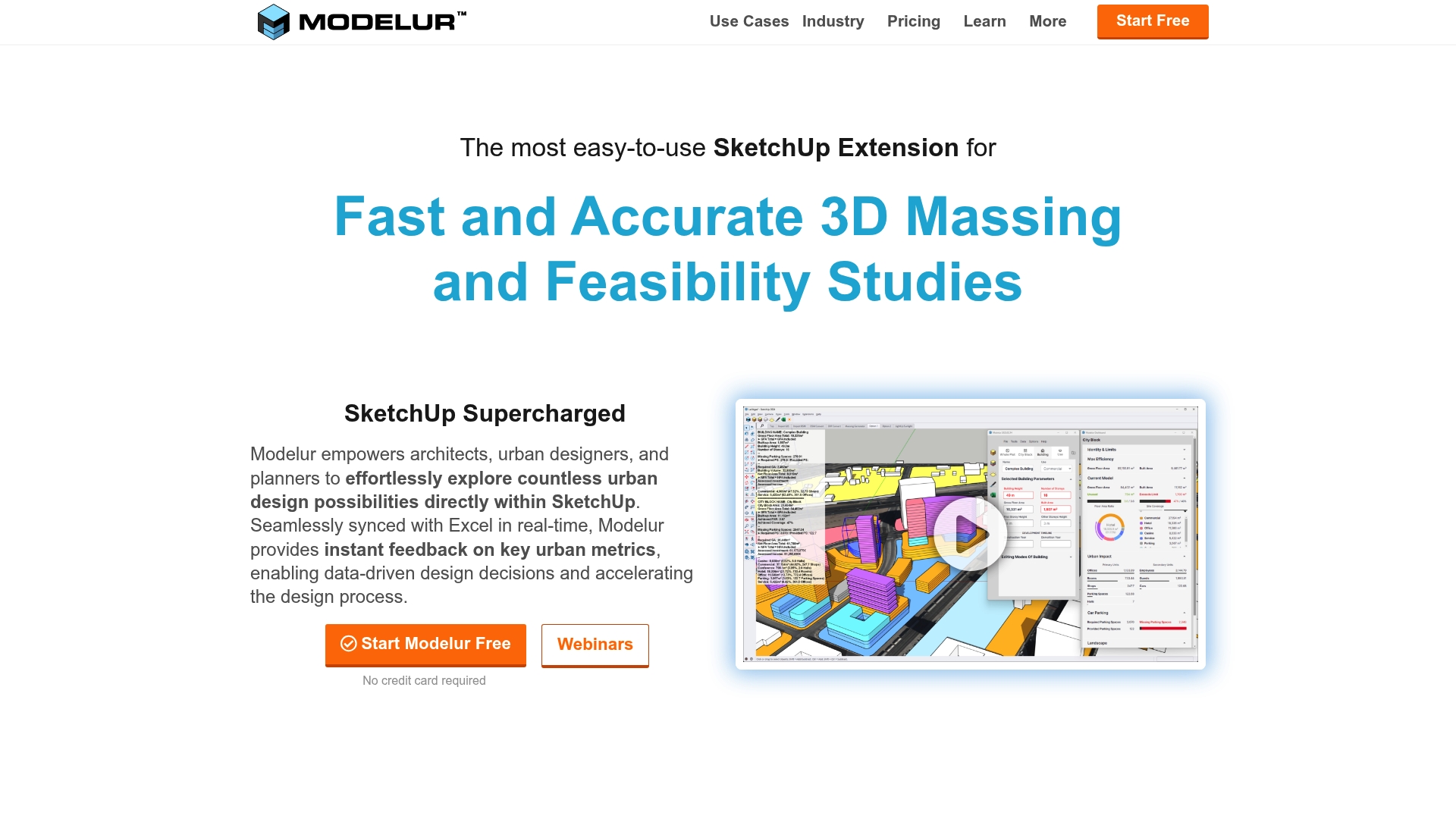
Modelur is a SketchUp extension built for fast and accurate 3D massing and early feasibility studies. It couples visual modelling with Excel synchronization so you can test dozens of options and keep numbers live while you edit.
Core Features
Modelur provides fast 3D massing, seamless integration with SketchUp, and live Excel data links for a data driven design process. The tool includes a massing generator, urban regulation compliance checks, DWG and GIS import export, and automatic building placement on terrain.
Pros
- Speeds option testing. Rapid massing and parametric controls empower you to iterate multiple scenarios within hours rather than days.
- Keeps data live. Real time Excel synchronization lets you maintain spreadsheets and models in parallel without manual transfers.
- Supports regulatory checks. Built in zoning and setback tools help identify non compliant layouts early in the process.
- Integrates with familiar tools. Working inside SketchUp reduces training overhead for teams already using that modelling environment.
- Suitable for multidisciplinary teams. Architects, planners and developers can use the same model for design, analysis and stakeholder communication.
Cons
- Tied to SketchUp. Functionality is limited to the SketchUp environment and only some features are available in Rhino, which restricts workflow choices.
- Cost for small users. Pricing may be a barrier for individual practitioners or small firms when full functionality is required.
- Advanced features behind paywall. Some high level capabilities are only available on paid plans, which may complicate scope decisions during pilot projects.
Who It’s For
Modelur suits Architects, Urban Planners, Real Estate Developers, and City Officials who need a hands on, data focused tool embedded in SketchUp. It works well for teams that value rapid massing, quantitative comparison and clear communication with stakeholders.
Unique Value Proposition
Modelur combines visual massing with live numerical feedback so you can compare schemes both visually and by metrics. Its strength is the ability to convert community inputs and regulatory constraints into measurable outcomes during early design phases.
Real World Use Case
The Municipality of Kitchener used Modelur to support public engagement and urban planning by turning community feedback into structured data and testable design scenarios. That workflow produced clearer decision points for council and the public.
Pricing
A free plan is available with limitations. Subscription plans start at €74 per month, €294 per quarter, or €888 per year. Additional licensing options exist for multiple users and some advanced tools require paid plans.
Website: https://modelur.com
Urban Planning Tools Comparison
Below is a detailed comparison of the various urban planning tools discussed, focusing on their features, strengths, and optimal use cases to assist professionals in selecting the best platform for their needs.
| Platform | Core Features | Pros | Cons | Intended Audience |
|---|---|---|---|---|
| 3D Cityplanner | National datasets, AI-assisted massing, financial modules, Digital Twin capabilities. | Extensive datasets, user-friendly tools, rich training materials, imported model support. | Pricing details not stated. | Governments, planners, architects, developers in the Netherlands. |
| UrbanSim Inc. | Urban simulation, open data collaboration, cloud-driven analytics. | Comprehensive tools, shared data hub, widely used academically, multi-stakeholder friendly. | Complex training needs; pricing is not transparent. | Planners, municipal leaders, real estate analysts, environmental specialists. |
| CITYPLAIN | AI-driven urban fabric design, scenario comparison, sustainability analytics. | Rapid scenario creation, promotes nature-based designs, collaborative reviews. | Limited public details, requires planning knowledge, potential need for external data integration. | Planners, architects, engineers focused on sustainable city extensions and housing projects. |
| Modelur | SketchUp-centric 3D massing, live Excel sync, zoning compliance checks. | Rapid iteration, real-time data sharing, integrates with familiar tools. | Tied to SketchUp, small user cost concern, premium features locked behind paywall. | Architects, urban planners, real estate developers, city officials using SketchUp. |
Boost Your Urban Design Projects with Advanced 3D Planning Tools
The “Top 4 Urban Design Software 2026” article highlights the increasing need for streamlined workflows that combine detailed spatial data, realistic 3D visualisations and AI-assisted planning. Professionals face challenges such as speeding up feasibility studies, ensuring regulatory compliance and fostering stakeholder collaboration. If you are seeking to overcome these hurdles while enhancing decision-making and optimising urban environments, a powerful digital platform like 3D Cityplanner is an ideal solution.
3D Cityplanner offers a user-friendly interface with automatic building generation, noise simulation and multi-format 3D model imports. Its capability for 4D planning with real-time project timelines means you can visualise and adjust every development phase with ease. Embrace a solution built for city planners, architects and developers who demand accuracy, speed and comprehensive tools in one place.
Explore how 3D Cityplanner can transform your workflow today by visiting 3D Cityplanner’s platform. Start a free trial, access training resources and see how advanced 3D technology can empower your urban design projects now.
Frequently Asked Questions
What are the core features to look for in urban design software for 2026?
Urban design software should offer features such as 3D visualisation, scenario analysis, and integration with spatial data. Look for tools that support collaboration among stakeholders and enable rapid feedback during the design process.
How can urban design software improve decision-making in city planning?
Urban design software enhances decision-making by providing accurate models and simulations that help assess various planning scenarios. To benefit, leverage these tools to visualise potential impacts on community layout, transport, and the environment.
What is the typical pricing structure for urban design software in 2026?
Pricing for urban design software can vary significantly, often depending on the complexity and features offered. Expect subscription models, with basic plans starting from around £70 per month, while more advanced functionalities may require higher tiers.
How long does it usually take to train a team on new urban design software?
Training a team on urban design software typically ranges from one to four weeks. To ensure efficient learning, organise structured training sessions and utilise the provided tutorials and resources from the software vendor.
Can urban design software assist in sustainable urban planning?
Yes, many urban design software tools incorporate features for sustainable planning, such as performance metrics focused on environmental impact and livability. To leverage this, actively use built-in analysis tools to evaluate the sustainability of design options during development.


