Top 4 Urban Simulation Platforms Comparison Alternatives 2026
Selecting urban simulation software that combines accurate 3D city modelling with cross-team scenario comparison often means juggling separate tools for visualisation, zoning, and stakeholder engagement. Many platforms either restrict access to browser-based visual tools, lack streamlined imports from GIS or OpenStreetMap, or gate pricing behind opaque quote requests. This comparison covers browser delivery, data integration, scenario handling, and pricing transparency across four urban simulation alternatives so you can match a platform to your planning projects without chasing hidden data or costs.
Table of Contents
3D Cityplanner
At a Glance
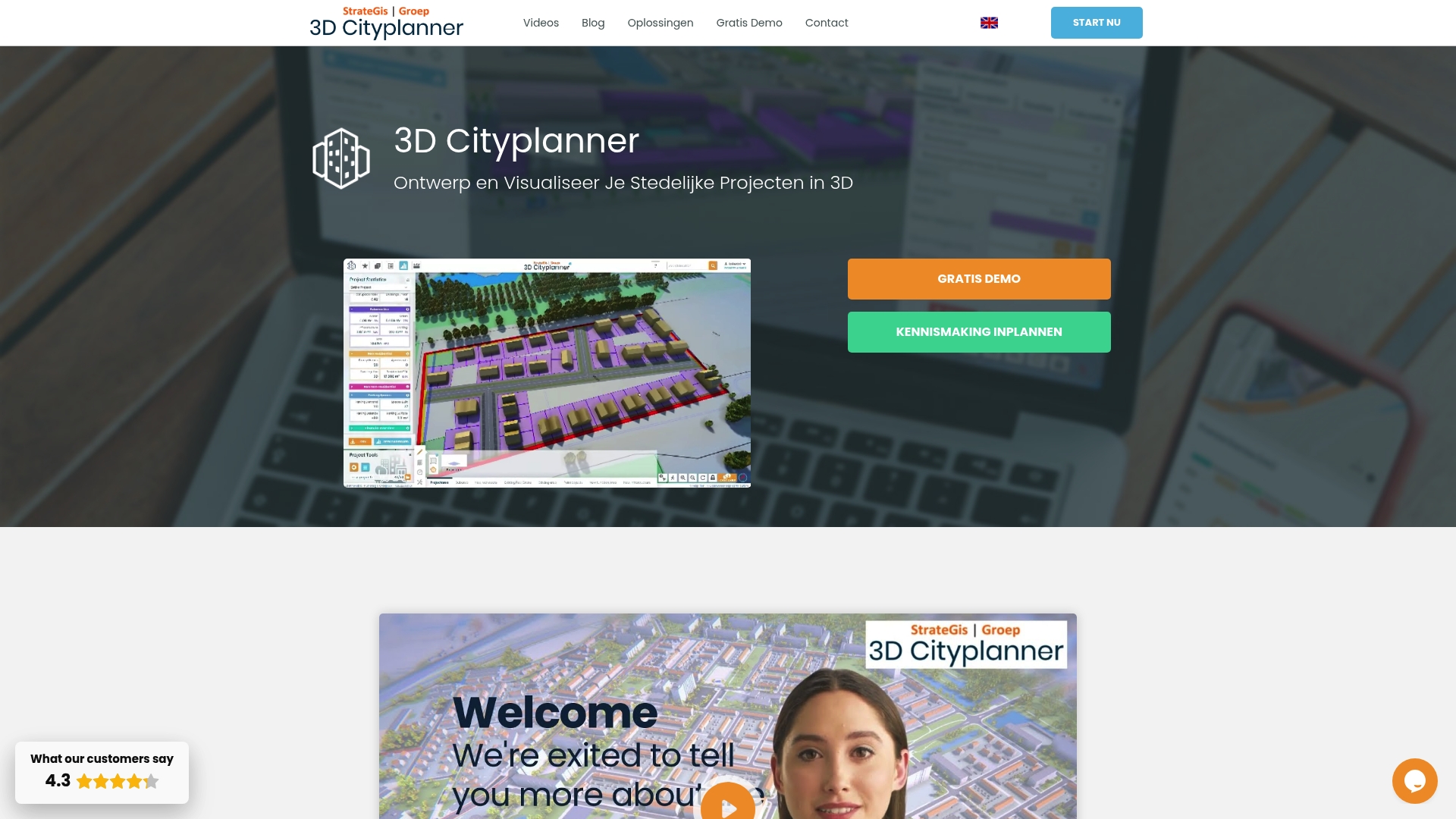
Browser based 4D planning with automatic timelines and the ability to import multiple 3D models is the clearest practical advantage here. The platform ties that timeline view to scenario comparison and automatic building generation for rapid option testing in a single session.
Core Features
- Interactive 3D visualisation that places proposals within a real world context using parcels, zoning, terrain and infrastructure layers.
- Scenario creation and comparison in one continuous workflow so you can iterate alternatives and quantify differences side by side.
- Automatic urban layout and building generation plus parametric building design for both massing and more detailed concept work.
- GIS integration that reduces data swapping between desktop GIS and a modeller.
- Support for time phased 4D review so project phases play back along a timeline for stakeholder briefings.
Key Differentiator
The browser based combination of 3D visualisation, GIS data and scenario comparison means teams do less file juggling and more decision making. Rather than export maps to separate viewers you work in one environment that generates urban layouts automatically and sequences them in time.
Pros
- Scenario comparison is fast and transparent. Planners can export two or three alternatives to present at a single meeting and show visual and spatial differences within minutes.
- The browser based approach removes desktop installs and centralises data access for multidisciplinary teams. That reduces version confusion during consultations.
- Parametric design lets you test massing rules and then refine details without rebuilding models from scratch.
- According to Trustpilot reviewers the interface is intuitive for non specialists, which helps when council members or residents must understand proposals; that claim is self reported by users.
- Built in visual tools for impact analysis and stakeholder presentation reduce the need for separate rendering workflows.
Cons
- Primarily tailored to the Netherlands, which may limit out of the box geographic data compatibility for projects elsewhere.
Who It’s For
Urban planners, municipal teams, architects and developers working on city and regional planning in the Netherlands or comparable contexts. It suits teams that need rapid scenario comparison, public engagement visuals and the occasional 4D phasing review rather than heavy custom scripting.
Unique Value Proposition
The browser based 4D timeline plus automatic building generation changes the cadence of option testing. Instead of a day of model prep followed by a presentation you can iterate several spatial scenarios and their phasing during a single workshop, speeding convergence on a preferred option.
Real World Use Case
A municipal planning department imports cadastral and zoning layers, generates three redevelopment scenarios with different massing rules, and plays each scenario on a timeline during a stakeholder meeting. The visual playback and side by side comparison shorten debate and help reach consensus faster.
Pricing
The vendor requests contact for pricing and reports offering demo options. Expect subscription based licensing with enterprise or municipal terms rather than a public per seat price list.
Website: https://3dcityplanner.com
UrbanSim
At a Glance
Models can ingest parcel, census block or zone geographies using either your local datasets or UrbanSim’s own U.S. and international data, letting you compare scenarios across scales. The platform pairs comparative scenario runs with interactive visualisation on cloud infrastructure for quicker iteration.
Core Features
UrbanSim delivers advanced urban modelling that integrates land use, transport, economic activity and environmental interactions. It includes 3D visualisation and interactive data exploration for stakeholder engagement.
A shared open data infrastructure supports reproducible modelling and collaborative workflows. Scenario comparison runs scale in the cloud so you can test many policy permutations without long waits.
The system accepts detailed local inputs or leverages UrbanSim’s regional datasets for quicker setup across multiple geographies and spatial resolutions.
Key Differentiator
What sets UrbanSim apart is its mix of behavioural realism with policy sensitivity and open data integration. That combination lets model outputs reflect household and developer decision rules while remaining responsive to zoning or fiscal policy levers.
This strength suits institutional planning teams that must justify policy choices with defensible, modelled human behaviour rather than purely statistical extrapolation.
Pros
- Credible, well cited models that planning agencies reference in technical reports and academic papers. The vendor cites a range of case studies and literature supporting the approach.
- Strong support for scenario comparison. You can run many variants in parallel on cloud resources and then compare outputs spatially and temporally.
- Flexible data handling. UrbanSim will accept high-detail local inputs or fall back on its packaged regional datasets for quicker pilots.
- Visual tools that aid stakeholder conversations. Interactive maps and 3D views make trade offs visible to non-technical participants.
- Designed for policy analysis across land use, transport and environmental outcomes, which reduces the need to stitch multiple specialised models together.
Cons
- High setup complexity. Preparing and calibrating detailed inputs requires technical modelling skills and a careful data pipeline.
- Cost profile geared to institutional budgets. The platform and associated projects are typically procured by government agencies or regional bodies rather than individual practitioners.
- Substantial data preparation and calibration time can be required for granular, parcel-level work, which extends project timelines and resource needs.
When It May Not Fit
If your work consists of one-off feasibility checks or quick, sketch-level alternatives for a small site, UrbanSim is likely oversized. Teams without a modeller or without access to baseline spatial and socio-economic data will struggle to get timely results.
Public sector units with tight procurement windows and minimal IT support should expect a longer onboarding period than for a lightweight desktop tool.
Who It’s For
City planners, transportation modellers and policy makers in metropolitan planning organisations and government agencies that run region- or city-scale analyses. Best for teams that can invest in data preparation and want model outputs tied to behavioural mechanisms and policy levers.
Real World Use Case
The Mid-Region Council of Governments in New Mexico used UrbanSim to simulate multiple regional development scenarios and evaluate transport and land use policy impacts. The outputs informed stakeholder workshops and helped prioritise infrastructure investments with clear spatial forecasts.
Pricing
Not applicable. UrbanSim is described in the product information as an informational offering rather than a publishable price plan. Procurement typically involves institutional licences, project engagements or research partnerships arranged with the vendor.
Website: https://urbansim.com
Modelur
At a Glance
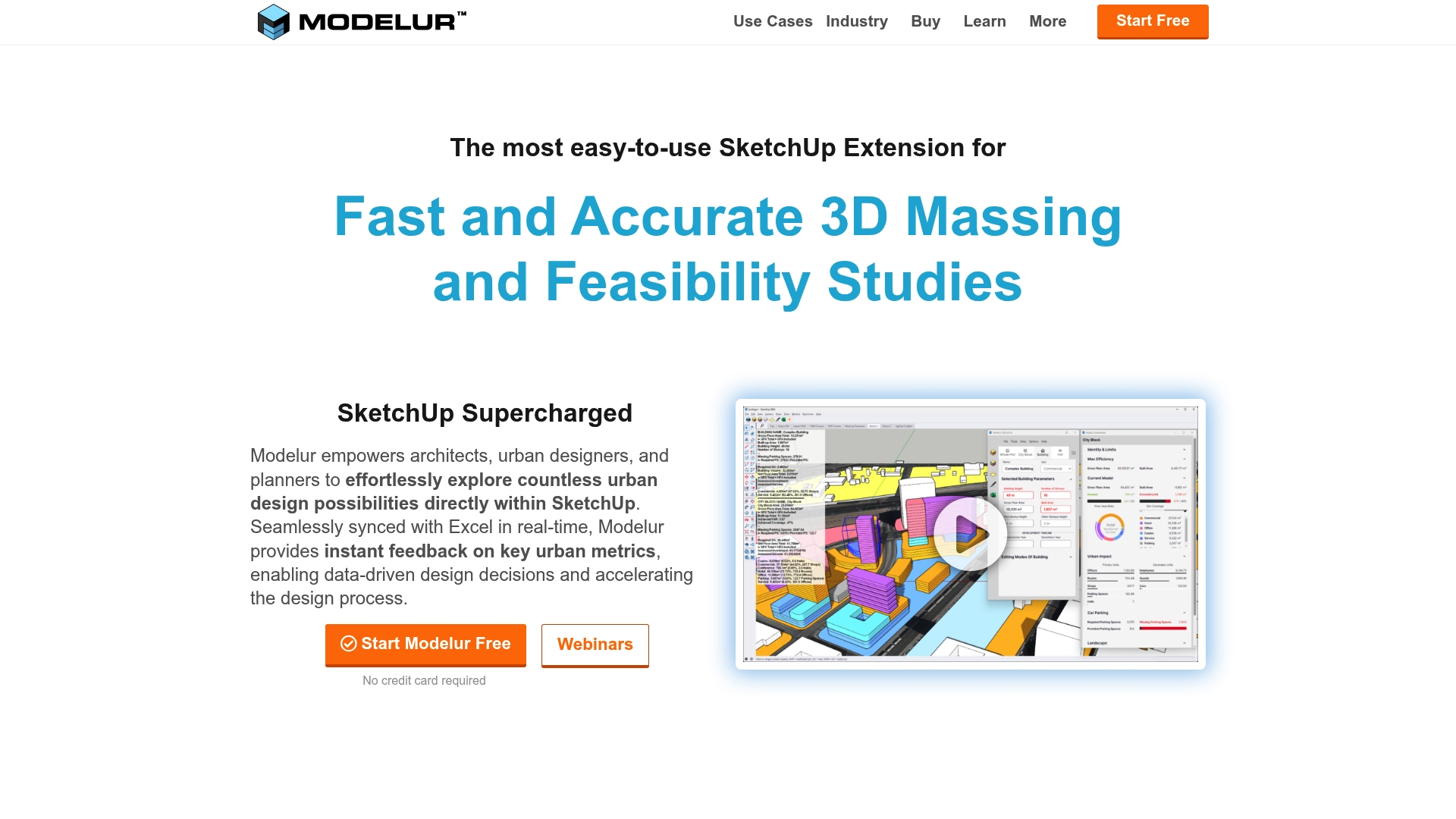
According to the vendor, Modelur can import OpenStreetMap data tapping a database of over 350 million buildings, a capability that speeds city‑scale massing tests. It combines parametric massing inside SketchUp with Excel LiveSync for rapid, dataled iteration.
Core Features
- Parametric buildings and massing tools that let you adjust height, footprint and density and see changes instantly in SketchUp.
- Real time zoning compliance checks which flag FAR, setbacks and basic regulation breaches as you sketch.
- GIS and OpenStreetMap integration plus import and export for DXF, IFC, KMZ and GeoJSON formats.
- Excel LiveSync for two way data exchange and tabulated analysis during design exploration.
Key Differentiator
Modelur’s marketing highlights real time synchronisation between SketchUp and Excel, which moves scenario comparison from manual export to immediate feedback. That workflow keeps quantity takeoffs and regulatory checks in the same visual context where designers edit forms.
Pros
- Enables rapid option testing. You can swap massing rules and see site metrics update in minutes rather than hours which shortens client review cycles.
- Preserves the SketchUp workflow. Teams that already model in SketchUp avoid a separate authoring tool and keep geometry native to the model.
- Puts data at the designer’s fingertips. The Excel sync helps teams produce spreadsheets for economic, daylight or shadow analysis without repeated CSV exports.
- Built for planning use cases. The zoning automation and GIS import reduce manual site setup for urban regeneration and municipal engagement projects.
Cons
- Some capabilities such as Excel LiveSync work on Windows only which limits parity for Mac users in mixed environments.
- Advanced features carry a learning curve; new users report several days of practice to reach confident fluency with parametric rules.
- Very large or highly detailed models can slow performance which affects iteration speed on city scale scenarios.
When It May Not Fit
If your office standard is Mac only and you rely on the Excel sync, Modelur will feel constrained. Also avoid it if you routinely author extremely large federated models where performance degradation would block fast scenario testing.
Who It’s For
Architectural practices, urban designers and city planning departments that model in SketchUp and need rapid massing, zoning checks and spreadsheet driven analysis. Not aimed at teams who do all modelling outside SketchUp.
Real World Use Case
Richez Associés used Modelur to speed site analysis and compliance checks for a mixed use neighbourhood in Bagneux, France. The tool helped them iterate design variants faster and contributed to a competition win.
Pricing
Modelur offers a free non commercial licence and tiered commercial licences. Paid options listed by the vendor include monthly at €149, quarterly at €294 per quarter and annual at €888 per year. Prices are in EUR, VAT excluded.
Website: https://modelur.com
CyberCity 3D
At a Glance
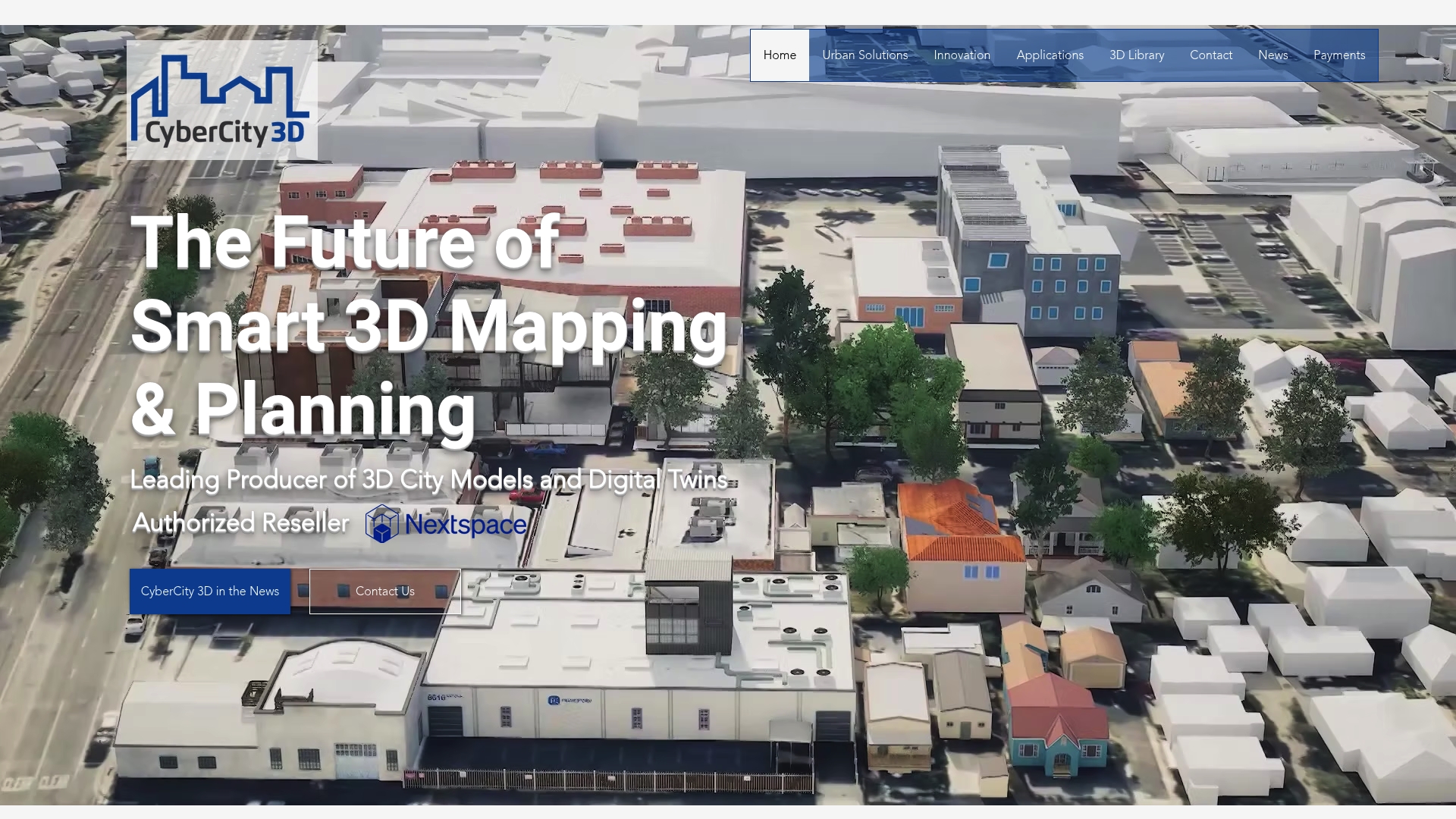
The vendor reports a library of over 130 cities and 1.7 million buildings and claims model accuracy to six-inch precision, which is unusual for off-the-shelf city models. That combination supports detailed analysis while remaining accessible through browser visualisation.
Core Features
CyberCity 3D delivers high-resolution textured models and digital twins with broad platform compatibility. Files export in common formats and the output is prepared for analysis or presentation.
- High-resolution 3D city models generated from stereo imagery.
- Exports to .fbx, .obj, .dxf and other major formats for GIS and 3D tools.
- Browser-based streaming 3D maps for device-agnostic demos and public engagement.
- Custom 3D modelling services to reflect city-specific details.
Key Differentiator
The firm emphasises precisely measured models derived from stereo imagery combined with browser delivery and multi-format compatibility. That mix makes it easier to move from procurement to stakeholder demos without heavy conversion work.
Pros
- Large prebuilt coverage speeds project starts; the figure above reduces time spent on base modelling for many municipal projects.
- The six-inch accuracy claim supports building-level assessments and environmental analysis rather than only skyline visualisation.
- Exports in standard formats let you plug models into existing GIS, BIM or visualisation pipelines without recreating geometry.
- Browser streaming means planners, councillors and the public can access the model without specialised desktop software, improving engagement.
- Custom modelling services let you request additional fidelity or local object types when off-the-shelf tiles are insufficient.
Cons
- Public pricing is not available and the vendor’s pricing pages return 404 errors, which hinders procurement planning.
- Documentation links for features and integrations are currently inaccessible, making technical due diligence slower.
- Large or highly detailed projects are likely to carry significant cost though specific rates are not provided in public materials.
When It May Not Fit
If your team needs transparent, fixed-tier pricing to budget a capital programme, this supplier’s opaque pricing will be a poor match. If you require fully documented APIs or on-premise runtime licensing, the current public materials do not confirm those options.
Who It’s For
Municipal governments, urban planners, architects and infrastructure specialists who require detailed, measurable 3D city models and want browser-accessible digital twins for stakeholder review and technical analysis.
Real World Use Case
A city authority commissions a full digital twin to support flood risk modelling and community consultation. CyberCity 3D supplies high-resolution building models, streams them in the browser for public sessions and exports geometry for specialists to run hydrological simulations.
Pricing
Pricing is not published. The vendor lists custom pricing that varies by city extent and model detail, and the public site currently lacks accessible rate pages. Contact CyberCity 3D for a scoped quote and sample dataset.
Website: https://cybercity3d.com
**Competitor eligibility:** - Excluded products (discontinued / inaccessible / under construction): None - Usable competitors remaining: UrbanSim, Modelur, CyberCity 3D
Intro pre-write:
- Does 3dcityplanner.com clearly outpace every usable competitor on a single dimension? NO
- If NO: best tradeoff dimension for the primary reader — Scenario-driven design iteration speed (advantage: rapid planning iterations; tradeoff: limited ready-to-use geographic data for non-Netherlands projects)
- First sentence draft: Choosing an urban simulation platform involves balancing rapid scenario iteration, geographic data compatibility, and analytical capabilities across features tailored to diverse planning needs.
Competitor win pre-write:
- Which competitor wins which dimension: UrbanSim wins analytical depth and multi-geographic adaptability because its behavioural modelling integrates zoning, transport, economic factors, and environmental outcomes using flexible data sources.
- Does this dimension matter to the primary reader? YES
Best Fit uniqueness check:
- List each bullet scenario in one clause: For rapid scenario generation within collaborative workshops / For transport policy development practitioners / For projects requiring integration with SketchUp workflows / For projects prioritising extreme geographic precision in 3D models
- Can any two be swapped without changing meaning? NO
Our Pick pre-write:
- The ONE capability unique to 3dcityplanner.com in this set: Browser-based simulations integrated with a 4D timeline review process.
- Evidence from the reviews: “The browser-based combination of 3D visualisation, GIS data and scenario comparison means teams do less file juggling and more decision making.”
- Closing sentence draft: While not completely tailored to all geographic contexts, 3dcityplanner.com excels for planners aiming for rapid, integrated simulations and clear stakeholder presentations.
- Substitution test: While not completely tailored to all geographic contexts, UrbanSim excels for planners aiming for rapid, integrated simulations and clear stakeholder presentations.
- Does the substituted version still work as a recommendation? NO
- If YES: rewritten closing sentence: N/A
{“text”:"## Comparative Analysis of Urban Simulation Platforms
Choosing an urban simulation platform involves balancing rapid scenario iteration, geographic data compatibility, and analytical capabilities across features tailored to diverse planning needs. Each solution brings distinct strengths and is optimised for specific workflows.
Analytical Depth and Usage Versatility
UrbanSim provides an advanced analytical infrastructure that integrates land use, transport, economic activities, and environmental interactions. This depth enables practitioners to model behavioural impacts realistically, compare scenarios effectively using open data, and produce defensible outputs for policy decisions. However, its setup requirements and institutional budget focus may deter smaller teams or those needing immediate results.
Workflow Integration and Real-Time Feedback
Modelur, with its native integration into SketchUp workflows, facilitates rapid testing of massing and zoning scenarios while preserving geometry compatibility. The Excel LiveSync feature strengthens data-driven exploration and ensures immediate feedback during design iterations. While limited to Windows for this feature and less performant with extensive datasets, its alignment with SketchUp-centric offices makes it for compatible teams.
Best Fit Scenarios
- 3dcityplanner.com: For rapid scenario generation within collaborative workshops, tying spatial layouts and 4D phasing into integrated timelines for immediate stakeholder communication.
- UrbanSim: For transport policy development practitioners requiring accurate behavioural modelling to yield recommendations for multi-scale projects.
- Modelur: For projects requiring integration with SketchUp workflows, facilitating zoning compliance and data synchronisation.
- CyberCity 3D: For projects prioritising extreme geographic precision in 3D models and browser-based stakeholder access for effective presentations.
Our Pick
While not ideal for all geographical data integration needs, 3dcityplanner.com excels at providing intuitive tools for rapid scenario comparisons and impactful stakeholder presentations. Its browser-based interface coupled with automated urban design workflows accelerates project convergence and supports informed decision-making, particularly for teams operating in the Netherlands or similar planning contexts."}
Urban Simulation Platforms Comparison
Choosing the right urban simulation platform depends on key features and compatibility with your workflow needs. This comparison highlights critical aspects of prominent solutions to assist you in making an informed selection.
| Product | Core Feature | Key Differentiator | Best For | Limitations |
|---|---|---|---|---|
| 3dcityplanner | Interactive 3D visualisation with scenario comparison | Browser-based with GIS integration | Urban planners and municipal teams | Geographic data tailored to the Netherlands only |
| UrbanSim | 3D urban modelling with policy sensitivity | Supports behavioural realism in scenarios | Institutional planning requiring policy proof | High setup complexity and technical requirements |
| Modelur | Parametric buildings and massing in SketchUp | Real-time Excel LiveSync | Architects and designers working in SketchUp | Advanced features limited on non-Windows OS |
| CyberCity 3D | High-accuracy 3D city models with browser streaming | Precise measurement, multi-format output | Municipalities requiring detailed analyses | Opaque pricing with inaccessible information |
Simplify Urban Simulation with 3dcityplanner
Choosing the right urban simulation platform can feel overwhelming when juggling scenario comparison, complex GIS data, and 4D planning visualisations. Your goal is clear rapid iteration with minimal file juggling and effective stakeholder engagement. 3dcityplanner offers a browser-based, intuitive solution designed just for urban planners and developers seeking automatic building generation combined with time-phased 4D timelines in one environment.
Experience rapid scenario testing with:
- Automatic urban layout and building generation
- Interactive 3D visualisation with real-world context
- Seamless import of multiple 3D models for easy integration
Discover how 3dcityplanner removes complexity and speeds your workflow. Visit 3dcityplanner to start a free trial, explore live demos, and take control of your urban projects with quick model iteration and visualisation today.
Frequently Asked Questions
How does 3dcityplanner aid in rapid scenario comparison?
3dcityplanner provides fast and transparent scenario comparison, allowing planners to export visual and spatial differences for multiple alternatives within minutes. This is made possible by its interactive 3D visualisation that allows users to create and compare scenarios in one continuous workflow. Users seeking to conduct effective stakeholder presentations can expect to do so with efficiency using this tool.
What is the difference between 3dcityplanner and UrbanSim in terms of setup complexity?
UrbanSim has a higher setup complexity, as it requires detailed data preparation and calibration, which may demand technical modelling skills. In contrast, 3dcityplanner’s browser-based approach simplifies compatibility and reduces the need for extensive data handling. For those needing a straightforward interface, 3dcityplanner may provide a more accessible experience.
Which platform offers greater integration with geographic data?
UrbanSim excels in integrating detailed local inputs and regional datasets, allowing for comprehensive urban modelling across various scales and geographies. Meanwhile, 3dcityplanner focuses on rapid urban layout generation using GIS integration but is primarily tailored to specific locales like the Netherlands. Consider your geographic data needs when selecting your platform.
Can I use 3dcityplanner if my project requires custom scripting?
3dcityplanner is not designed for extensive custom scripting, making it more suitable for teams looking for quick iterations without heavy programming requirements. It focuses on automatic urban layout and building generation that can streamline processes. Teams needing heavy customisation may need to explore other platforms better suited for that capability.
How does 3dcityplanner facilitate stakeholder engagement?
3dcityplanner includes built-in visual tools for impact analysis and stakeholder presentations, reducing reliance on separate rendering workflows. This makes engagement easier for non-specialists, allowing for effective communication during meetings. Users can anticipate enhanced participation from audiences unfamiliar with complex urban planning concepts.
Recommended
- Top 5 Urban Development Visualization Tools Alternatives 2026 – 3D Urban Development
- Top 3 urban planning automation tools list 2026 – 3D Urban Development
- Top 5 Tools for Spatial Analysis in Urban Planning Alternatives 2026 – 3D Urban Development
- Top 5 urban planning tools for governments 2026 – 3D Urban Development


