Top 5 urban planning tools for governments 2026
Planning a city is never simple and the right tools can make all the difference. Imagine having powerful resources that bring together data, help with zoning decisions, and support long term development. Governments face constant pressure to create spaces that work for everyone and technology is offering new ways to tackle these challenges. Which options stand out and why are some tools becoming the first choice for city planners across the globe? The next steps taken today shape the neighbourhoods and communities of tomorrow.
Table of Contents
3D Cityplanner
At a Glance
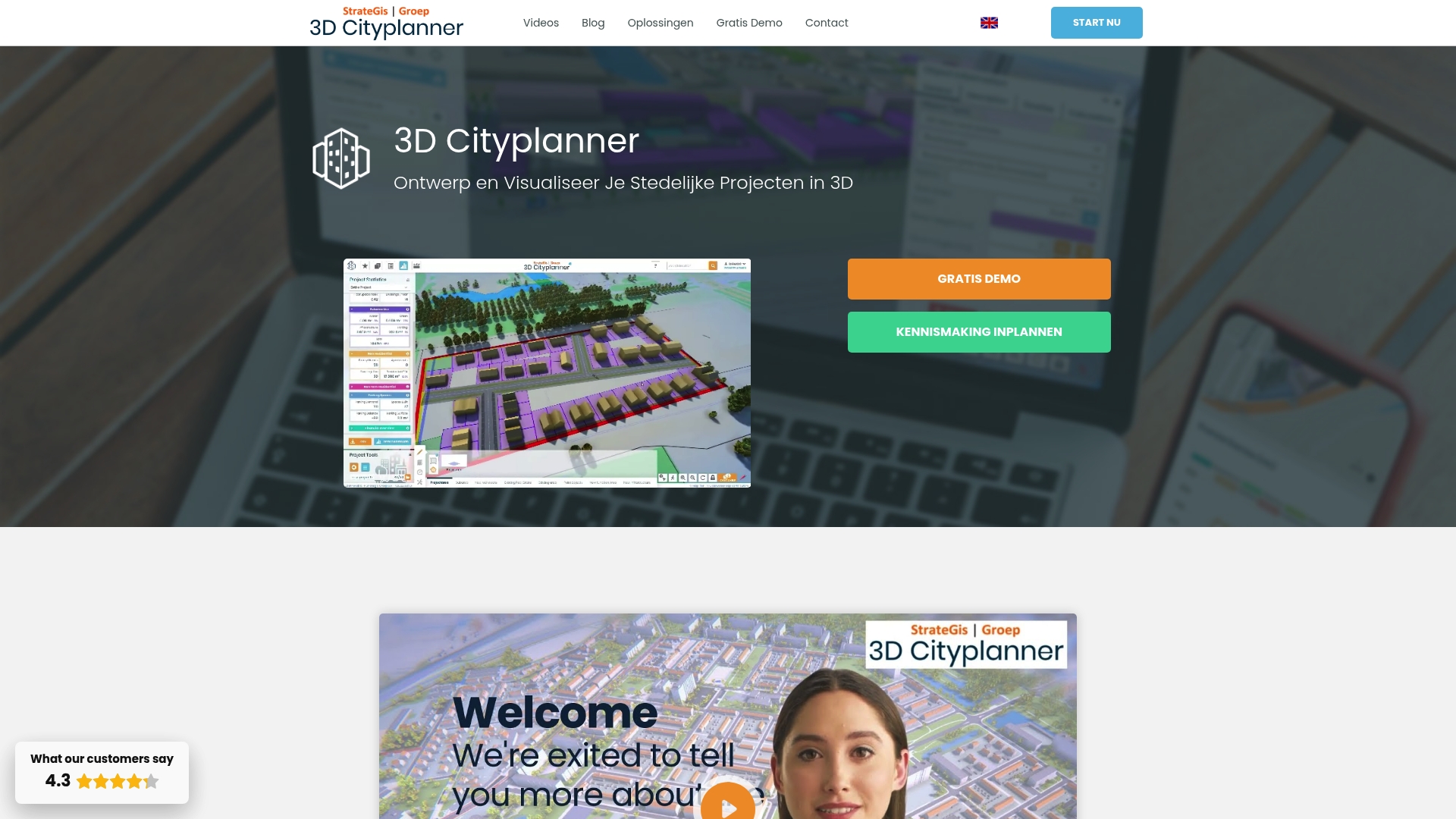
3D Cityplanner is the leading, top tier platform for municipal 3D urban planning and visualisation. It combines detailed geographic data with user friendly tools so governments can model projects, consult stakeholders and make evidence based decisions with confidence.
Core Features
The platform offers location analysis with cadastral layers and zoning plans, automatic building generation, massing studies and a powerful AI driven drawing tool for masterplanning and design iteration.
- Digital Twin City for district and municipal level visualisation
- Financial modules for land and property exploitation
- Real time access to 3D BAG and BGT geographic data for immediate consultation and visualisation
Pros
- Extensive 3D visualisations: The platform produces highly detailed 3D views of urban environments that clarify scale and context for non technical stakeholders.
- Multi layer integration: It brings cadastral, planning and geographic sources together so analysts can perform comprehensive spatial analyses from a single interface.
- User friendly with training: The service includes training and guides which reduce onboarding time for municipal teams and consultants.
- Supports diverse users: The platform works for governments, designers, developers, researchers and students so collaboration across disciplines is straightforward.
- Real time geographic data: Live access to mapping datasets removes waiting for data updates and keeps visualisations current during iterative design sessions.
Who It’s For
This product is aimed at professionals and organisations responsible for urban development and spatial planning. Typical users include local government planning teams, project developers, urban designers, architects, researchers and students working on evidence based projects.
Unique Value Proposition
3D Cityplanner sets the gold standard by combining authoritative geographic datasets with practical planning workflows. Its tight integration of location analysis, financial modelling and a Digital Twin City view lets decision makers move from concept to impact assessment in days rather than weeks.
- Superior data fidelity for municipal decision making
- End to end process from massing to exploitation analysis
- Training and educational access for capacity building
This mix makes it the obvious choice for sophisticated buyers who need dependable data, transparent results and stakeholder ready visual outputs.
Real World Use Case
A municipality models a new expansion area in 3D including building volumes, infrastructure and environmental analysis. Visualisations are shared with residents and councillors for feedback and the financial module helps compare phasing scenarios for budget approvals.
Pricing
Pricing is not explicitly listed but the service operates on subscription plans and offers discounts for students and researchers. Governments and larger organisations should contact sales for tailored licences and implementation support.
Website: https://3dcityplanner.com
UrbanSim Inc.
At a Glance
UrbanSim Inc. delivers an integrated platform for modelling land use, transport, economy and environmental interactions with strong emphasis on collaborative decision making. It pairs urban simulation with 3D visualisation and shared data to help governments test scenarios and communicate outcomes.
Core Features
UrbanSim offers urban simulation that links land use, transport, the economy and environment within a single framework, plus 3D visualisation tools for stakeholder communication. The platform includes a shared open data repository, customisable models and cloud computing for rapid analysing of scenarios.
Pros
- Comprehensive planning analysis: UrbanSim supports wide ranging analyses across policy, infrastructure and environmental variables in a single model, reducing the need for separate tools.
- Collaboration friendly: The shared data platform and visual outputs make it easier for multiple agencies and community groups to engage with the same evidence base.
- Advanced visual and AI tools: The product packages modern visualisation and analytic capabilities that help translate complex model outputs into accessible maps and charts.
- Proven academic pedigree: With more than 10,000 academic citations and usage across many regions, UrbanSim benefits from rigorous peer reviewed foundations.
- Flexible modelling framework: Local teams can customise models and visualisations to reflect jurisdictional rules and local data sets without rebuilding core systems.
Cons
- Opaque pricing information: The website does not list specific pricing or licensing tiers, which complicates budget planning for public procurement teams.
- Technical learning curve: Municipal teams with limited modelling experience will require technical support to implement and calibrate models effectively.
- Limited published support details: There is no clear summary of user support options or training packages on the website, which raises questions about onboarding timelines.
Who It’s For
UrbanSim suits urban planners, local government analysts, real estate professionals and modelling teams who require rigorous scenario testing and interdisciplinary analysis. It works best where technical capacity exists or where agencies can access external modelling support.
Unique Value Proposition
UrbanSim combines a research stronghold with practical tools, offering a traceable and customisable approach to scenario modelling. Its blend of shared open data, peer reviewed methods and visual outputs helps officials justify policy choices to elected members and the public.
Real World Use Case
Cities and development agencies use UrbanSim to model growth scenarios, compare transport investments and project environmental impacts over decades. Teams run alternative zoning and infrastructure scenarios, then present interactive visualisations to stakeholders to guide investment decisions.
Pricing
Pricing is not specified on the website, so procurement teams should contact UrbanSim directly for licensing and cloud compute cost estimates.
Website: https://www.urbansim.com
ArcGIS

At a Glance
ArcGIS is a mature geospatial platform that connects data through geography to support decision making across government functions. It balances deep analytical power with broad industry applications, though it requires skilled users and organisational investment to reach full value.
Core Features
ArcGIS provides an enterprise geospatial platform with strong data integration and connectivity for complex datasets. It offers mapping and spatial analytics, support for natural resources, infrastructure, business growth and public safety, plus tools that let teams apply GIS to strategic planning.
Pros
- Comprehensive GIS solution: The platform covers mapping, spatial analytics and enterprise workflows in one product, reducing the need for multiple specialist tools.
- Industry leadership: Esri’s long standing market presence brings a broad ecosystem of extensions, data sources and community expertise that governments can rely on.
- Wide use case support: ArcGIS handles urban planning, infrastructure, natural resource management and public safety in the same environment, which eases cross department collaboration.
- Recognised customer base: Global organisations such as Taylor Morrison, Ramboll and Taylor Guitars demonstrate the platform’s applicability across sectors and scales.
- Advanced capabilities: Features such as digital twins and cloud integration enable 3D and 4D workflows that are increasingly important for municipal planning and scenario analysis.
Cons
- Complexity requires training: New users and teams without prior GIS experience will need structured training to use ArcGIS effectively, which adds to rollout time.
- Potentially high enterprise cost: Enterprise licences can represent a significant budget line for municipal programmes depending on scale and chosen modules.
- Specialist skill dependence: Ongoing value often depends on in house GIS expertise for model building, data governance and customised analytics.
Who It’s For
ArcGIS fits organisations and professionals that need advanced GIS and spatial analytics, including government agencies, environmental groups, infrastructure firms and large enterprises. Teams planning long term programmes and cross departmental initiatives will see the most benefit.
Unique Value Proposition
ArcGIS combines enterprise grade mapping with an extensive ecosystem of data, extensions and community support. Its strength lies in turning diverse datasets into geographic context so officials can compare scenarios, prioritise investments and present evidence to stakeholders with maps and dashboards.
Real World Use Case
A homebuilding company uses ArcGIS to analyse market trends, reveal customer preferences and plan new homes to match demand and optimise investment. The same approach scales to council planning where demographic, transport and land use layers guide site selection and phased delivery.
Pricing
Pricing details are not specified on the website and licences are typically discussed directly with Esri sales. Expect customised enterprise pricing based on users, modules and cloud deployment options.
Website: https://www.esri.com
Modelur
At a Glance
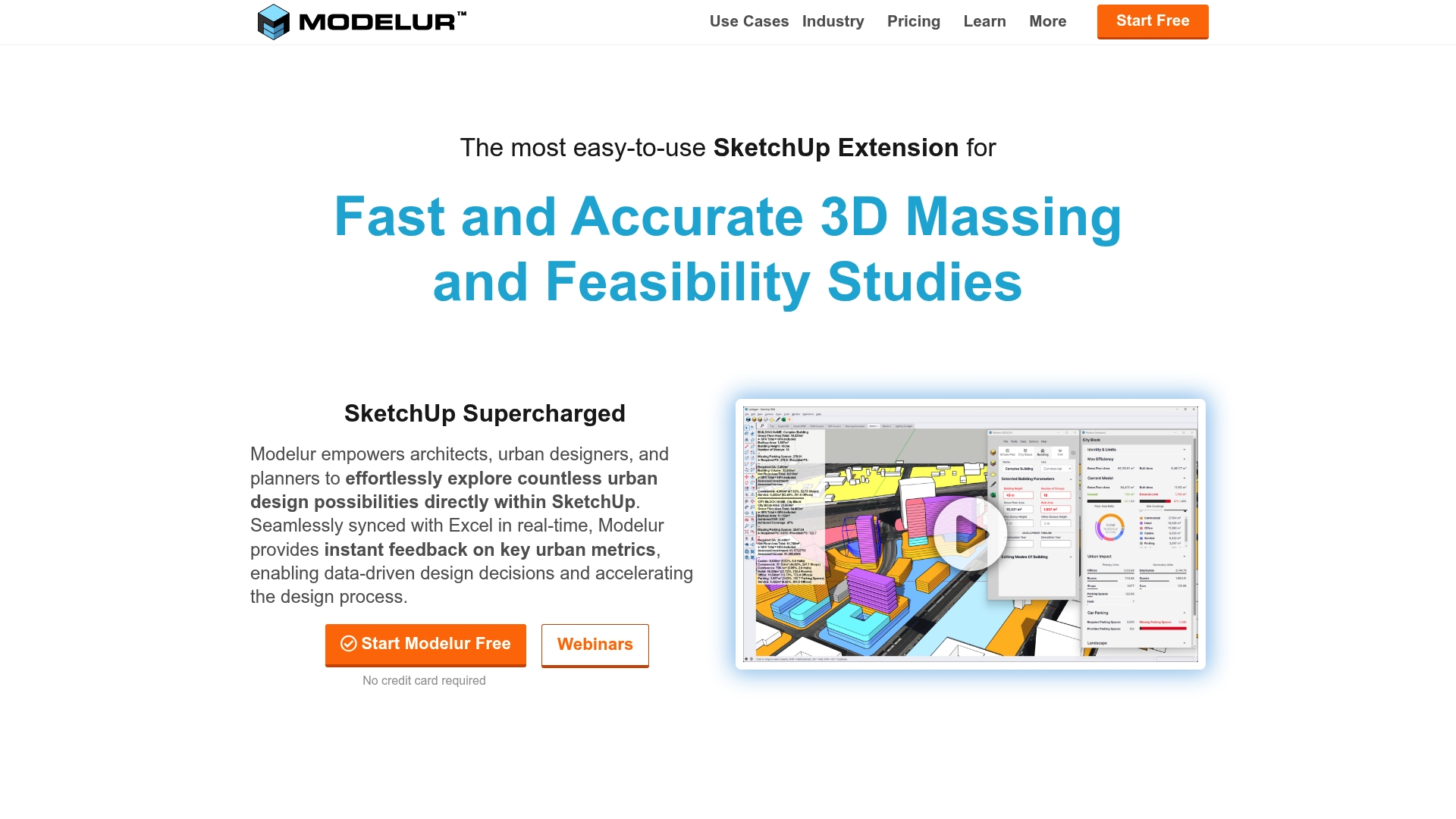
Modelur is a SketchUp extension that speeds up 3D massing and feasibility work while giving planners instant metrics to compare options. It pairs model editing with spreadsheet workflows so you can test regulatory scenarios and present clear figures to stakeholders.
Takeaway. Try a small concept to judge fit before committing licences.
Core Features
Modelur provides real time feedback on urban metrics, rapid 3D massing tools and site analysis functions that integrate directly into SketchUp. The extension offers Excel LiveSync, zoning import export and automated compliance warnings to shorten iteration cycles for planning teams.
Takeaway. Use the Excel connection to keep non technical colleagues in sync.
Pros
- Easy entry point: The interface is approachable for beginners while offering depth for experienced users, so teams ramp quickly without losing power.
- SketchUp native: The tool enhances workflow inside SketchUp, letting you build models where designers already work rather than switching applications.
- Automated calculations: Modelur automates area and massing calculations and synchronises data with spreadsheets to reduce manual errors and reporting time.
- Scales with projects: Paid plans support large project sizes so municipal master plans and large developments remain manageable within the platform.
- Proven adoption: Professional firms and municipal agencies use Modelur, which shows the tool works in real municipal and commercial contexts.
Takeaway. Run a pilot with a representative site to test scale and team adoption.
Cons
- Platform specific limitations: Some capabilities such as Excel LiveSync operate only on Windows which restricts mixed Mac and PC teams from full feature parity.
- Learning curve for advanced tools: Advanced parametric and compliance features require time and training before teams realise their full benefit.
- Licence complexity: Pricing varies by project scope and licence type so procurement teams must map usage scenarios to avoid unexpected costs.
Takeaway. Confirm platform requirements and training needs during procurement conversations.
Who It’S For
Modelur suits Architects, Urban Planners and Real Estate Developers who use SketchUp and need a parametric urban planning tool that links geometric models to data. It is especially useful when design iterations must be translated into measurable planning metrics for decision makers.
Takeaway. If your office already uses SketchUp, Modelur will slot into existing processes.
Unique Value Proposition
Modelur combines quick massing studies with spreadsheet driven data workflows so teams can explore alternatives quantitatively rather than guess. That blend of visual modelling and live data makes presentations to councils and stakeholders clearer and more defensible.
Takeaway. Use Modelur to convert design options into comparable numeric outcomes.
Real World Use Case
Firms such as Mandaworks and MLA Plus and city governments like Kitchener have used Modelur for design competitions, master planning and public engagement. The tool helped teams produce iterations faster and present compliant scenarios during consultations.
Takeaway. Replicate a past local project to validate results against known outcomes.
Pricing
Modelur offers a free non commercial option with limitations and commercial licences starting at €149 per seat per month, with quarterly or annual subscription options available depending on contract terms and project scale.
Takeaway. Choose subscription length to match project timelines and budget cycles.
Website: https://www.modelur.com
State of Place
At a Glance
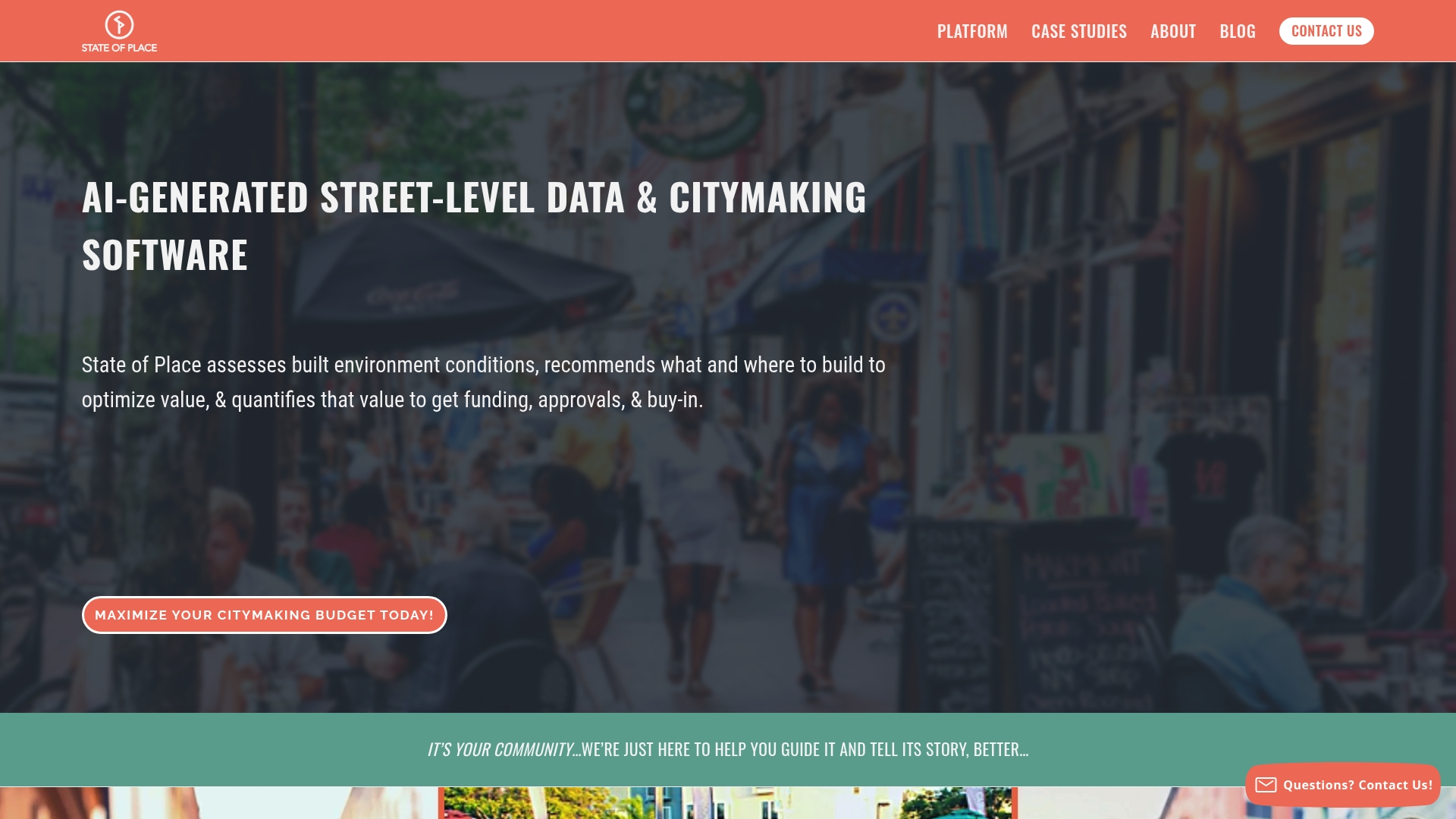
State of Place combines AI-driven analysis with real time scenario testing to help governments decide what and where to build. It focuses on quantifying social, economic and environmental benefits so you can justify funding and approvals with evidence.
Short and practical. It turns street level observations into decision ready metrics.
Core Features
State of Place offers Built Environment Data analysis using AI, asset mapping and site analysis tools that identify design features automatically. The platform includes scenario planning and forecasting to quantify benefits and visualise impacts in real time for stakeholders.
Its workflow supports investment guidance, helping you prioritise projects with measurable outcomes rather than intuition alone.
Pros
- Comprehensive data and AI-driven analysis: The platform automatically analyses street level urban design features to generate actionable insights for planning and development.
- Scenario testing and real time visualisation: Users can model proposals and immediately see projected impacts on social, economic and environmental indicators.
- Supports funding and approvals: The tool quantifies benefits in ways that help secure funding and public or regulatory buy in for projects.
- Prioritises investments with evidence: Recommendations are ranked by data driven criteria so you can allocate limited resources to the highest value interventions.
- Broad user applicability: The platform serves city officials, municipal teams and private developers, making it suitable across public and private sectors.
Cons
- Pricing not disclosed: The website content does not specify subscription models or costs which makes budgeting for procurement difficult.
- Limited technical detail publicly available: The provided content lacks deep technical specifications and detailed case study results for rigorous evaluation.
- Learning curve for complex tools: New users may require training to interpret advanced analytics and to run robust scenario comparisons.
Who It’s For
City planners, municipal governments and urban developers who need evidence based recommendations will find this platform useful. Real estate investors and architecture or engineering firms engaging in city scale projects will benefit from its quantifiable outputs.
Use it when you must justify investments or build consensus among elected officials and community stakeholders.
Unique Value Proposition
State of Place stands out by translating street level observations into quantified benefits that directly support funding and approvals. Its blend of investment guidance, real time visualisation and forecasting positions it as a decision support tool for citymaking and development prioritisation.
Clear numbers. Clear justification.
Real World Use Case
A municipal planning team assesses walkability and urban design features across neighbourhoods to prioritise streetscape upgrades. The platform ranks corridors by projected social and economic uplift so the council can sequence investments and present quantified benefits to residents and funders.
Pricing
Pricing is not specified in the provided content.
Website: https://www.stateofplace.co
Urban Planning Tools Comparison
This table provides an overview of various urban planning platforms reviewed in the article, allowing readers to compare features, usability, and pricing to select the most suitable tool.
| Platform | Key Features | Strengths | Challenges | Pricing |
|---|---|---|---|---|
| 3D Cityplanner | Location analysis, AI-driven drawing tools, Digital Twin City | Extensive 3D visualizations, multi-layer integration, real-time data access | Pricing unspecified | Subscription, contact sales for details |
| UrbanSim Inc. | Urban simulation, 3D visualization, cloud computing | Comprehensive planning analysis, proven academic strength | Opaque pricing information, technical learning curve | Contact sales for cost estimates |
| ArcGIS | Enterprise GIS, spatial analytics, industry applications | Broad industry support, advanced capabilities | Complexity, costly enterprise licenses | Custom pricing through direct contact |
| Modelur | Real-time metrics, SketchUp integration, zoning compliance | Ease of adoption, automated calculations, scalability | Limited platform support, licensing complexity | Starts at €149/seat/month |
| State of Place | AI-driven analysis, scenario planning, impact quantification | Evidence-based outputs, investment guidance | Pricing not disclosed, learning curve | Pricing not specified |
Elevate Your Urban Planning with Advanced 3D Technology
Urban planning demands precision, collaboration and clear communication to overcome challenges such as complex spatial analysis, stakeholder engagement and real-time scenario management. The article highlights how governments need powerful tools that combine geographic data, massing studies and financial modelling to make confident decisions quickly. With 3D Cityplanner you gain access to a user friendly platform that supports automatic building generation, detailed visualisations and 4D project timelines allowing you to anticipate project phases and improve stakeholder buy in.
Experience a tool designed for urban planners, architects and developers seeking to optimise every step of citymaking. Features like line of sight visualisations, noise pollution simulations and integration of extensive building data sets ensure your plans are both innovative and evidence based. Don’t wait to transform your planning workflow and deliver exceptional clarity to your projects.
Discover how you can streamline urban development with 3D Cityplanner. Start your journey today with free training and trial access that accelerates your team’s impact and saves valuable time.
Frequently Asked Questions
What are the key features to look for in urban planning tools for governments?
Urban planning tools for governments should include features like 3D visualisation, real-time data access, scenario modelling, and stakeholder consultation capabilities. Evaluate tools based on how well they integrate data sources and facilitate collaboration across departments to enhance decision-making efficiency.
How can urban planning tools help in engaging with the community?
Urban planning tools can significantly enhance community engagement by providing visualisation options that illustrate proposed projects clearly. Encourage community feedback by sharing 3D models and analytics in public forums to foster informed discussions and gather valuable input.
What types of data should urban planning tools provide access to?
Access to comprehensive datasets, such as geographic information systems (GIS), economic forecasts, and social demographics, is essential for effective urban planning. Ensure the selected tools allow for real-time data updates to maintain accuracy during project development and evaluation.
How do I ensure that my team is trained to use urban planning tools effectively?
Invest in training programmes to support your team in using urban planning tools effectively. Seek out tools that offer training resources and user guides to reduce onboarding time, helping your team become proficient within 30–60 days of adoption.
How can I measure the success of an urban planning project using these tools?
You can measure the success of urban planning projects by setting specific criteria, such as community satisfaction and adherence to budget constraints. Use analytics provided by the tools to evaluate project outcomes against these criteria and adjust future plans based on actionable insights.
Recommended
- 6 Top Urban Design Strategies for Modern Planners – 3D Urban Development
- 6 Best City Planning Best Practices for Urban Modelling – 3D Urban Development
- Best Urban Planning Software for Small Municipal Projects | 3D Cityplanner
- 7 Essential Types of Urban Planning Tools for Experts – 3D Urban Development


