Top 3 urban planning automation tools list 2026
Urban planning is moving faster than ever, with clever tools changing how cities grow and adapt. The right automation can turn complex data into clear action, giving planners more time for creative decision making. Every detail matters, so the search for smarter solutions is at the heart of progress. People are always curious about which technologies stand out and what makes them different. As new options appear on the market, the challenge lies in finding those that truly make a difference for busy urban teams and their projects.
Table of Contents
3D Cityplanner
At a Glance
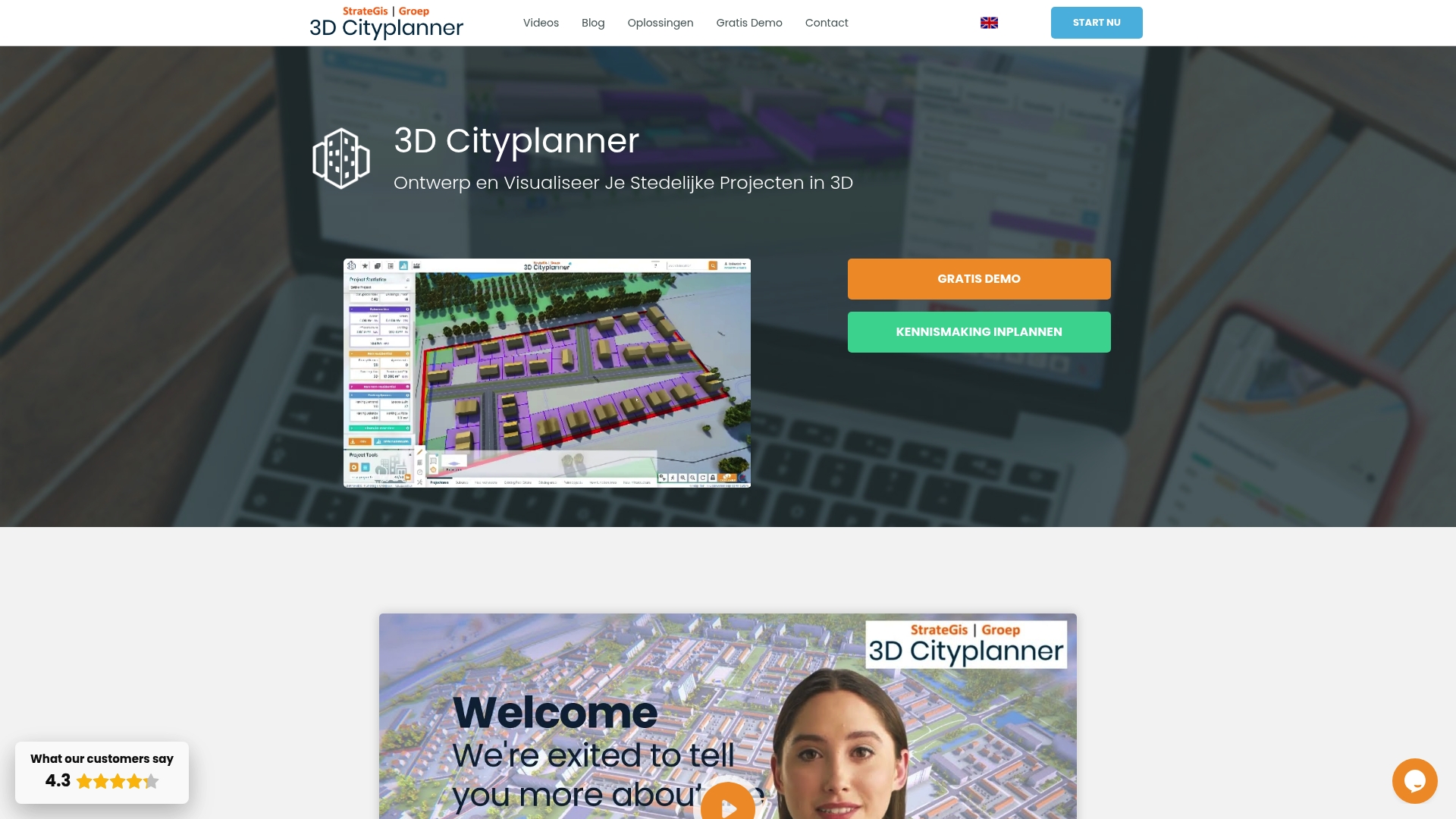
3D Cityplanner is the leading platform for designing and visualising urban projects with rich, official Dutch datasets and advanced 3D tools. It combines practical analysis, automated drawing and 4D planning so you can make decisions with precise spatial and temporal context.
Core Features
The platform packs location analysis, automated massing studies and financial modules into a single interface that is tailored for urban development workflows. It integrates authoritative sources such as Kadaster, CBS and the 3D BAG database of TU Delft and supports Digital Twin City creation for whole municipalities or neighbourhoods.
- Location analysis with cadastral data and zoning plans
- Massing studies and masterplans with automatic drawing and AI tools
- Land and property exploitation with financial modules
- Digital Twin City visualisations at municipal scale
- Support for 3D BAG, BGT and 3D Mesh data and import of BIM, IFC, SketchUp and CityGML models
- Infrastructure layers including sewer networks, lamp post locations and subsurface soil visualisation
- Solar potential calculations and lighting visualisations
- Analysis dashboards for land, property and location insights
Pros
- Extensive geographic data: The platform provides detailed 3D and geographic data for Dutch cities which improves baseline accuracy for planning projects.
- Versatile applications: The tool serves governments, developers, urban designers and researchers which makes it useful across project phases.
- User friendly tools: The interface and automated drawing tools reduce repetitive work so teams deliver studies faster.
- Real time data linkage: Live connections to authoritative datasets keep analyses current and reduce manual updates.
- Advanced model import: Support for BIM, IFC, SketchUp and CityGML lets you reuse detailed models without reconstruction.
Who It’s For
Urban planners, architects, municipalities, project developers, property managers and academic researchers who require authoritative 3D urban data and powerful visualisation tools will get the most value. Users working on municipal masterplans or complex exploitation analyses benefit immediately from the data depth and analysis modules.
Unique Value Proposition
3D Cityplanner stands apart because it fuses official national datasets with automated design and financial analysis in one environment. The combination of Digital Twin City capabilities, 4D planning with automatic timelines and direct access to Kadaster and 3D BAG creates a single source of truth for spatial decisions. Sophisticated buyers choose this platform when accuracy, regulatory alignment and the ability to test multiple development scenarios quickly are priorities. Where competitors offer point solutions, 3D Cityplanner delivers integrated modelling, impact analysis and reporting so teams keep stakeholders aligned and projects on track.
Real World Use Case
A municipality builds a digital twin of its city to visualise proposed zoning changes, assess sewer network impact and calculate solar potential on roofs. Planners run massing studies, test exploitation scenarios with the financial module and share interactive visualisations with councillors and developers to accelerate approvals and reduce costly revisions.
Pricing
Pricing is not listed publicly; the vendor offers a free demo and subscription solutions tailored to different use cases. Contact the provider for a quote based on project scale and dataset requirements.
Website: https://3dcityplanner.com
Modelur
At a Glance
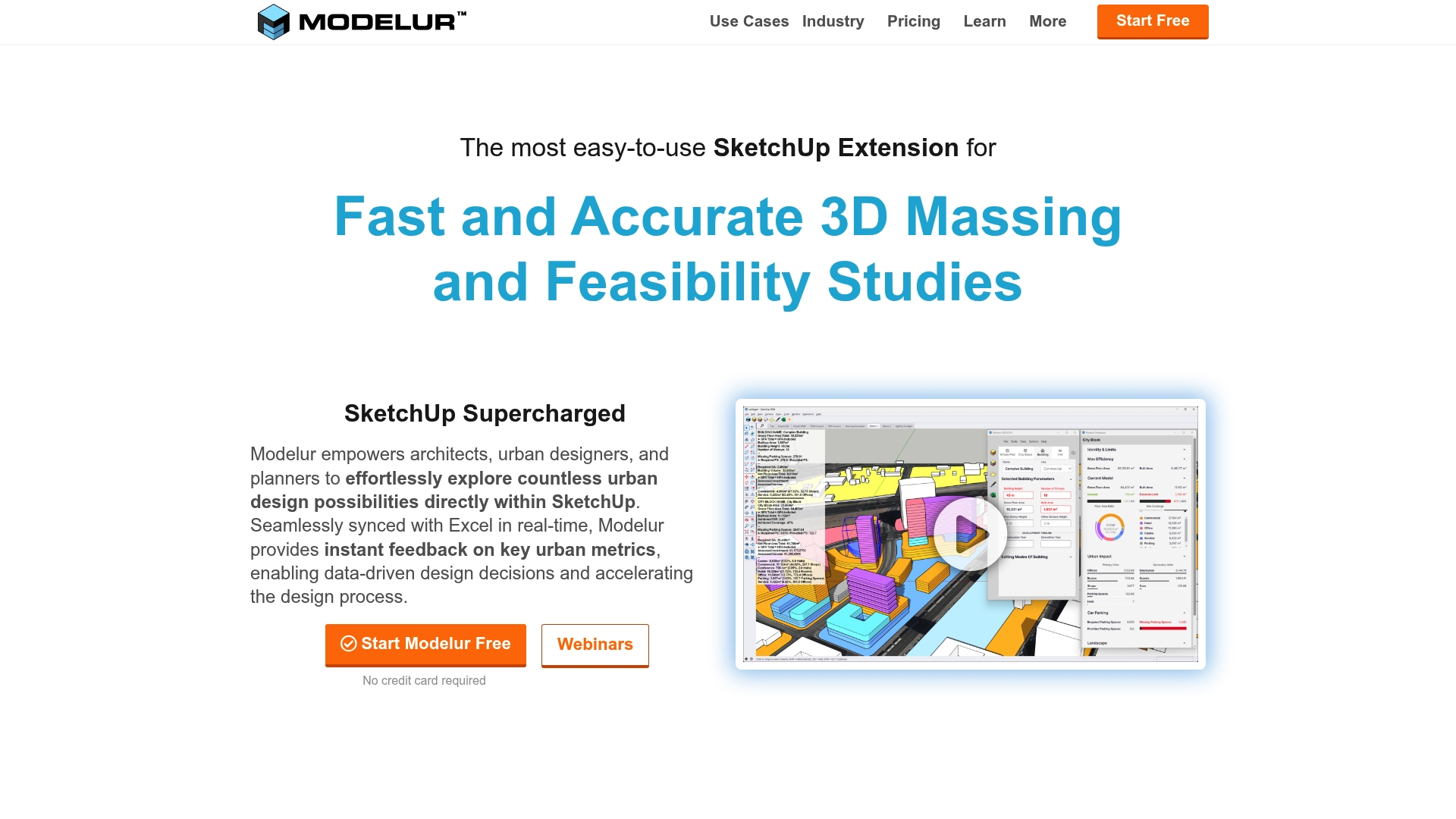
Modelur is an extension for SketchUp that brings fast 3D massing and real time data feedback directly into the design workflow. It helps you test alternatives quickly and makes early stage decisions more data driven without leaving your modelling environment.
Core Features
Modelur provides a full set of urban design tools for massing, zoning, and regulation compliance inside SketchUp and Rhino environments. It offers Excel integration for synchronised data management, GIS import/export and OpenStreetMap support, plus floating licences for multiple users and built in tutorials and webinars.
Pros
- Easy to use within SketchUp: The tool sits inside SketchUp so you work in a familiar interface which reduces time lost to context switching.
- Speeds up design decisions: Automated metrics and the massing generator let you evaluate alternatives far faster than manual calculations.
- Reduces manual data entry: Seamless synchronisation with Excel eliminates repetitive spreadsheet work and keeps numbers consistent.
- Supports collaborative workflows: Floating licences and multiuser features simplify sharing models across small teams and consultancies.
- Comprehensive urban design features: The product bundles zoning checks, massing tools and GIS support so one extension covers many tasks.
Cons
- Limited to SketchUp and Rhino: If your practice uses other primary modelling platforms the tool offers little support beyond those two environments.
- Project size limits on the free plan: The non commercial tier restricts project scale which prevents testing large scenarios without a paid licence.
- Requires training for full mastery: Core functions are straightforward but advanced regulatory settings and workflows need time and guidance to master.
- Pricing may deter small studios: Paid plans start at €149 per seat per month which can be significant for very small offices or solo practitioners.
Who It’s For
This extension targets Architects, Urban Planners and City Developers who already use SketchUp or Rhino and want faster, data driven massing studies. It fits teams that need to balance rapid design exploration with zoning checks and spreadsheet based reporting.
Unique Value Proposition
Modelur combines in situ massing with immediate metric feedback and Excel synchronisation so you retain full modelling flexibility while getting quick quantitative answers. That tight coupling of visual design and tabular data is the core benefit for design led teams.
Real World Use Case
Mandaworks used Modelur for Uppsala Business Park to speed massing and feasibility checks. MLA+ applied it to analyse large scale urban scenarios and the City of Kitchener used Modelur to support public participation in planning by presenting clear metric driven options.
Pricing
There is a free tier for non commercial use with project size limits and paid plans begin at €149 per seat per month with quarterly and annual payment options available.
Website: https://www.modelur.com
UrbanSim Inc.
At a Glance
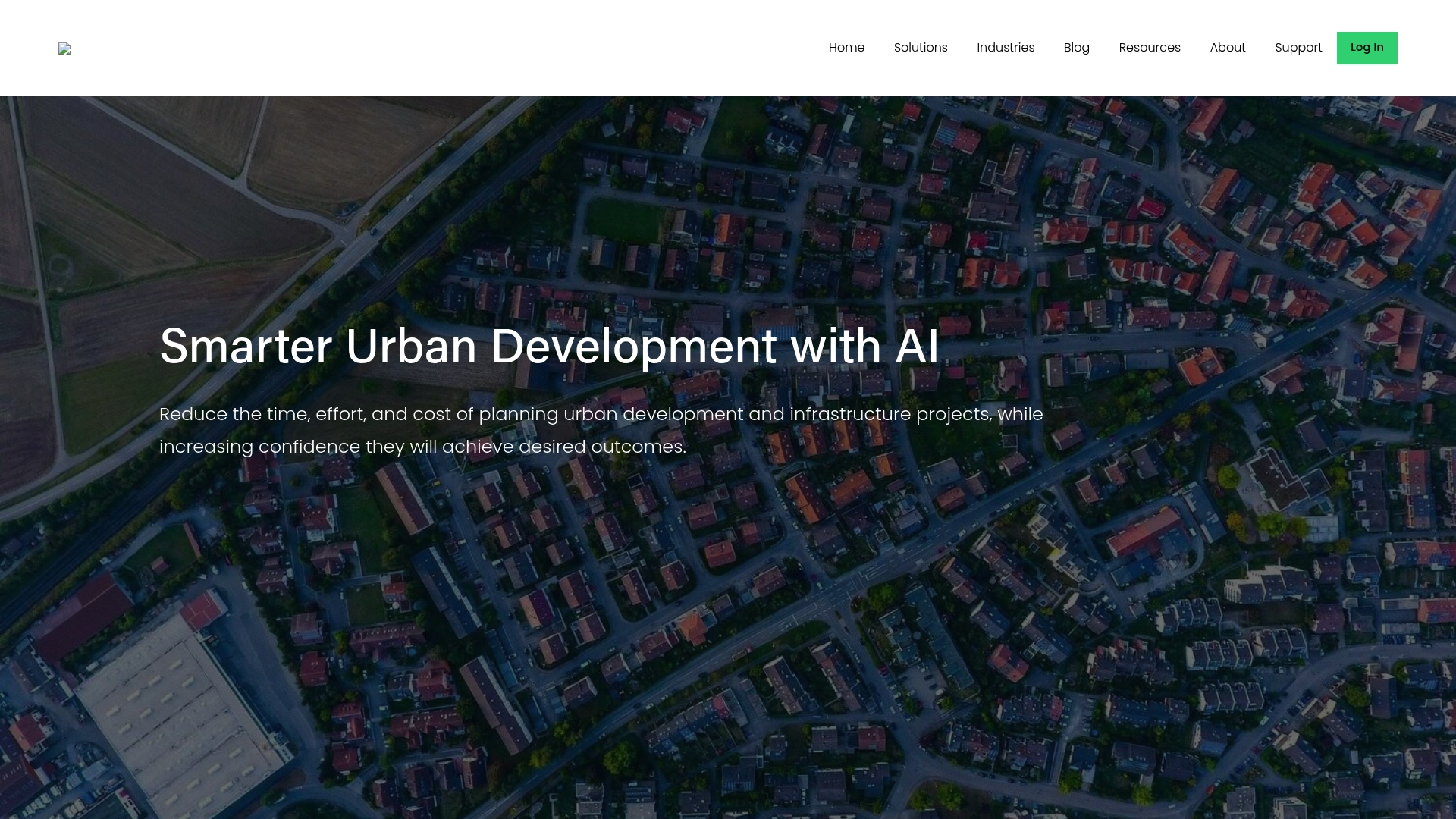
UrbanSim Inc. delivers urban simulation and 3D visualisation tools that help stakeholders test and compare development options with less manual effort. Its academic pedigree and global deployment give the platform strong credibility for evidence based planning.
Core Features
UrbanSim focuses on integrated modelling and shared data to support decision making across sectors.
- Urban simulation modelling for long term growth and land use interactions.
- 3D visualisation of urban environments to view scenarios and communicate outcomes to stakeholders.
- Shared open data platform that centralises inputs and supports collaboration.
- Integrated analysis of land use, transport, economy and environment interactions.
- Customisable models and visualisation tools for tailored planning workflows.
Pros
- Comprehensive analysis and visualisation: The platform combines modelling and 3D views so you can compare scenario outcomes in one environment.
- Reduces effort and cost: Automated simulation workflows lower repetitive modelling tasks and shorten analysis cycles for project teams.
- Supports stakeholder collaboration: Shared data and visual outputs make it easier to present options to planners, developers and policymakers.
- Academic credibility: Over 10,000 citations indicate methods and results are recognised in research and practice.
- Global reach: Deployments across five continents show the platform handles different regulatory and geographic contexts.
Cons
- Pricing information is not provided: The website does not specify subscription tiers or implementation costs which makes budgeting difficult for procurement teams.
- Steep learning curve for new users: Planners without prior experience in advanced modelling will need training to use customisable models effectively.
- Potential need for tailored support: Large custom projects will likely require professional services which may add time and expense to adoption.
Who It’s For
UrbanSim suits urban planners, real estate professionals, model builders and policymakers who need integrated scenario testing and robust evidence to support decisions. Teams working on regional plans or infrastructure appraisal will get most value when they can allocate time for model setup and training.
Unique Value Proposition
UrbanSim offers an integrated platform where modelling, visualisation and open data coexist. That reduces the friction between technical analysis and stakeholder communication, making technical results easier to interrogate and present to non technical decision makers.
Real World Use Case
UrbanSim can simulate alternative growth patterns to evaluate a new transport link. A planning team could compare effects on density and housing affordability across scenarios and use the 3D visual outputs to brief councillors and developers during consultations.
Pricing
Pricing details are not specified on the website. Contact with sales or a trial request is necessary to obtain licensing, deployment and support cost estimates.
Website: https://www.urbansim.com
Urban Design and Simulation Tools Comparison
This table compares leading tools in urban planning, design, and simulation, highlighting their features, advantages, and suitability based on the provided content.
| Product | Core Features | Pros | Cons | Pricing |
|---|---|---|---|---|
| 3D Cityplanner | Location analysis, automated drawing, financial modules, Digital Twin City visualizations | Extensive geographic data for Dutch cities; Versatile for various applications; User-friendly tools | Cost details not specified; Requires contact for a quote | Tailored subscriptions; Free demo offered |
| Modelur | Integrated with SketchUp/Rhino, Excel synchronization, zoning, regulatory compliance, GIS support | Seamless SketchUp integration; Accelerates design choices; Collaborative and multi-user capable | Limited to SketchUp and Rhino; High cost for small studios | Free tier; Paid plans from €149/month per seat |
| UrbanSim Inc. | Urban simulation modeling, 3D environment visualization, integrated analysis of land use, transport, economy, and environment interactions | Comprehensive scenario analysis; Strong credibility in academic applications; Global deployment suitability | Pricing not publicly available; Steep learning curve; Customization may require additional support | Not specified; Contact required for tailored pricing |
Discover the Future of Urban Planning Automation with 3D Cityplanner
The “Top 3 urban planning automation tools list 2026” highlights the growing need for streamlined workflows, accurate spatial data and dynamic scenario testing. Urban planners and developers face challenges such as integrating diverse 3D models, automating design iterations and visualising projects in real time. 3D Cityplanner answers these demands by combining official geographic datasets with automatic building generation and 4D planning capabilities, enabling smarter decisions and faster approvals.
Why struggle with manual processes when you can centralise tools on one platform? Features like line of sight visualisations, noise simulation and seamless BIM imports reduce guesswork and improve collaboration among stakeholders. With an intuitive user interface tailored for urban development, professionals can confidently explore multiple scenarios directly within a single environment.
Ready to elevate your urban planning workflows today Explore the full potential of automation and real-time analysis now at 3D Cityplanner. Start your free trial and transform how you design, analyse and manage urban environments with the future-proof tool trusted by industry experts.
Frequently Asked Questions
What are the top features to look for in urban planning automation tools?
The top features include 3D visualisation capabilities, automated massing and zoning studies, and integration with authoritative datasets. Evaluate tools based on these criteria to ensure they support comprehensive urban project development effectively.
How can urban planning automation tools improve project efficiency?
These tools significantly streamline the planning process by reducing repetitive tasks and enabling rapid analysis of different scenarios. Implementing such a tool can decrease project turnaround times by roughly 30%.
Are there specific automation tools that cater to different stages of urban planning?
Yes, many tools are designed for specific stages like initial design, analysis, or final reporting. Review the functionalities of each tool to choose one that matches your project phase, ensuring all necessary features are included.
How do I choose the right urban planning automation tool for my team?
Start by assessing your team’s specific needs, such as data integration or user-friendliness. Then, conduct trials of shortlisted options to see which tool aligns best with your workflow and project requirements.
What types of datasets are commonly integrated into urban planning automation tools?
Common datasets include geographical information, land use data, infrastructure layouts, and economic statistics. Ensure the tool you choose can access and utilise these datasets effectively for accurate planning outcomes.
Can urban planning automation tools support collaboration among stakeholders?
Absolutely! Many of these tools facilitate collaboration by allowing multiple users to access and edit projects in real time. Implementing a collaborative tool can enhance communication and reduce project revisions by about 25%.


