4D planning: Transform urban design with dynamic insights

Most urban planning professionals think of 4D planning as a sophisticated animation tool, something to impress clients in presentations. That assumption costs projects time, money, and precision. The real power of 4D planning lies in its role as a live decision engine, one that shapes how planners, architects, and developers design, simulate, and continuously optimise complex urban environments. This guide will unpack precisely how 4D planning works, what empirical evidence says about its impact, and how you can harness it to deliver better 4D planning outcomes on your next project.
Key Takeaways
| Point | Details |
|---|---|
| Dynamic over static design | 4D planning transforms urban design from static drawings to adaptive, responsive systems. |
| Tangible efficiency gains | Projects using 4D planning are delivered faster and with fewer costly errors. |
| Real-world collaboration boost | 4D tools enhance team coordination and stakeholder involvement at every stage. |
| Implementation challenges | Addressing technical and organisational barriers is key to realising 4D planning’s full value. |
What is 4D planning and why does it matter?
Having set aside common misconceptions, we need to define exactly what 4D planning involves and why it’s so impactful for urban design. At its core, 4D planning adds the dimension of time to a 3D model. The result is a dynamic simulation environment where you can observe how a building or urban space evolves through every phase of design, construction, and use.
This is fundamentally different from a rendered fly-through. A 4D model is interactive and responsive. Change the construction sequence, and the simulation updates in real time. Add a design element, and the model flags logistical clashes before a single spade breaks ground. That responsiveness is precisely why 4D planning shifts design from static to dynamic, enabling proactive clash detection and optimisation that is vital for urban planners, architects, and developers working in constrained environments.
The relevance of 4D planning is growing rapidly. Urban sites are becoming more complex, space is increasingly limited, and project stakeholders demand accountability and transparency. A static 2D plan or even a conventional 3D model simply cannot capture the layered, time-sensitive realities of a large-scale urban development. 4D planning fills that gap.
Key reasons 4D planning matters for urban professionals:
- It enables proactive identification of construction sequencing conflicts before they occur on site
- It supports transparent communication with planning authorities, investors, and the public
- It reduces the risk of costly rework by simulating multiple scenarios in advance
- It integrates with broader BIM workflows, creating a single source of truth for all project stakeholders
- It helps teams manage phased developments where different parts of a site progress on different timescales
Pro Tip: Don’t treat 4D as a visual you produce for sign-off meetings. Embed it into your weekly design reviews and use it as a decision engine whenever a design change is proposed. The earlier you integrate 4D thinking, the greater the efficiency gains across the project lifecycle. Pairing this with resources on efficient 4D project delivery can accelerate your team’s learning curve considerably.
The methodology of 4D planning: Step by step
Now that you understand 4D planning’s promise, let’s break down how it works in practice, step by step. The methodology is well-established within the BIM community, and following it consistently is what separates teams that achieve measurable results from those that produce polished animations with little practical impact.
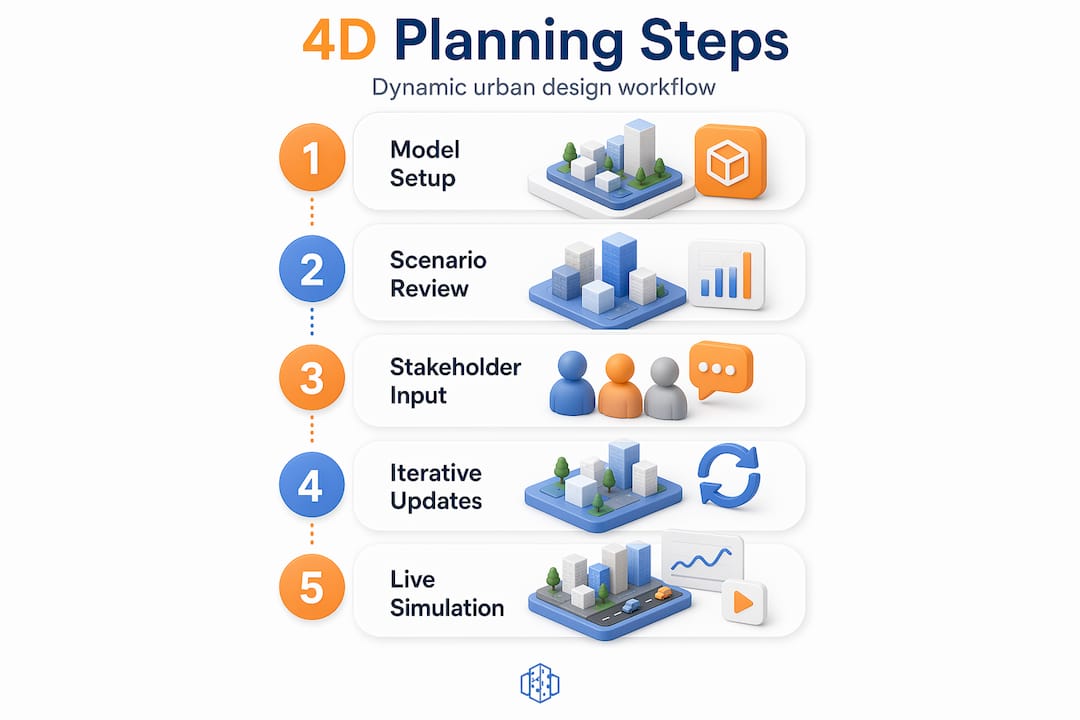
The core 4D workflow follows four essential stages:
- Build a detailed 3D BIM model. Every element that will appear during the project lifecycle needs to be modelled accurately. This includes permanent structures, temporary works, site hoarding, and access routes. The richer this model, the more value you extract during simulation.
- Develop a precise construction or project schedule. Tools like Primavera P6 or Microsoft Project are commonly used to create the task-level schedule. Each task should map directly to physical elements in the BIM model. Vague milestones will undermine the simulation’s accuracy.
- Link model elements to schedule tasks using dedicated software. This is the critical integration step. Software such as Navisworks or Synchro connects each 3D element to its corresponding schedule task. When the schedule changes, the model responds automatically, which is where the real decision-making power emerges.
- Simulate, analyse clashes, and refine the sequence. Run the simulation and interrogate it. Where do elements overlap in time or space? Are there resource bottlenecks? Does the phasing create unnecessary disruption to live urban areas nearby? Iterate until the sequence is genuinely optimised.
This step-by-step 3D planning approach is not a one-time exercise. The most effective teams revisit the 4D model throughout the project as site conditions evolve, designs are refined, and programme changes occur.
| Workflow aspect | Traditional static planning | 4D dynamic planning |
|---|---|---|
| Design change response | Manual redraw and resubmission | Automatic model and schedule update |
| Clash detection | Identified on site, often costly | Identified in simulation, before construction |
| Stakeholder communication | 2D drawings and verbal briefings | Interactive time-lapse simulations |
| Schedule integration | Separate document, siloed | Directly linked to the model |
| Scenario testing | Time-consuming and linear | Rapid, parallel scenario comparison |
| Rework risk | High, especially in phased projects | Significantly reduced |
Pro Tip: Involve all project stakeholders, including structural engineers, MEP consultants, and logistics managers, at the model-linking stage. The more input you gather before the simulation runs, the fewer surprises emerge during analysis. Early alignment prevents expensive late-stage conflicts.
Benefits of 4D planning for urban design
With the method established, what can urban planners, architects, and developers actually gain from 4D planning? The evidence is compelling and increasingly specific. These are not theoretical benefits. They come from documented project outcomes.
Empirical benchmarks from major urban projects show that 4D planning delivers a 10% reduction in overall project delivery time, equivalent to approximately two months saved on a standard 18-month urban development. On a Manchester high-rise project, crane productivity improved by 22% directly due to 4D-optimised sequencing. Manual schedule-linking effort dropped by 90% when automated 4D tools replaced traditional processes. Modular urban projects reported up to a 30% reduction in programme delays. On a £1 billion development programme, 4D coordination prevented an estimated £80 million in rework costs.
These figures reframe the conversation about investment in 4D tools and training. The upfront cost is measurable. The return, however, is transformational.
Understanding why urban planners use 4D simulation in 2026 becomes straightforward when you see the data. Beyond the headline numbers, 4D planning also delivers qualitative advantages that compound over time.
Measured and practical benefits for urban design professionals:
- Risk minimisation: Sequencing clashes and spatial conflicts are surfaced weeks or months before they manifest on site, where correction costs are exponentially higher
- Site optimisation: Temporary facilities, hoarding, and crane positions are modelled dynamically, meaning your site layout evolves intelligently as work progresses rather than relying on a single static plan
- Collaboration gains: When every discipline works from the same 4D model, disagreements are resolved in the simulation environment rather than in reactive site meetings
- Regulatory confidence: Planning authorities increasingly expect phasing plans that demonstrate responsible management of urban disruption, and 4D simulations provide exactly that
- Investor clarity: Developers can present phased delivery scenarios with visual precision, giving financial stakeholders confidence in programme commitments
Practical challenges and advanced applications
It’s not all smooth sailing. Let’s address where 4D planning gets complicated, and how advanced users are pushing boundaries.
The most common implementation barrier is interoperability. Integration challenges remain significant, particularly when project teams use different BIM authoring tools that do not share data formats efficiently. An architect modelling in one platform and a structural engineer working in another may produce models that require substantial manual effort to align before 4D linking can begin.
Skills gaps represent another persistent obstacle. Many planning and architecture practices have invested in 3D modelling capability but lack the in-house expertise to manage schedule integration and run 4D simulations confidently. This creates a dependency on specialist contractors, which can slow adoption and reduce the organic integration of 4D thinking into daily workflows.
Organisational resistance also remains a real constraint. Teams that have worked with traditional planning methods for years often view 4D adoption as a disruption rather than an improvement. The cultural shift required is significant. True value in 4D lies in decision-support, risk simulation, and live model evolution, not in generating impressive visuals for external audiences.
“Organisational resistance and automation limits remain persistent obstacles in 4D adoption, but the integration of AI and lean construction principles is fundamentally changing what is achievable. The question is no longer whether to use 4D planning, but how quickly teams can build the culture to use it well.” — Synthesis from recent systematic review
Advanced practitioners, however, are using 4D planning in ways that extend well beyond traditional construction sequencing. Dynamic site layout modelling adapts automatically when programme delays or float changes shift the sequence. Temporary facilities such as welfare units, site offices, and storage areas are modelled as 4D elements that appear, relocate, and disappear in sync with the live programme. What-if scenario simulation allows project teams to model the impact of design changes, contractor insolvency, or supply chain disruption before those events occur. These are not experimental techniques. They are increasingly standard practice for digital urban design professionals working at scale.
The emergence of AI-assisted 4D planning is accelerating this further. AI tools can now identify optimisation opportunities within a 4D schedule automatically, flagging inefficient sequences and proposing alternatives without requiring a specialist to manually interrogate every link. When combined with lean construction principles, this creates a feedback loop where the 4D model continuously improves throughout the project. Exploring how to optimise with the time dimension is becoming a core competency for forward-thinking urban planning teams.
From static to dynamic: Real urban design transformations
After examining challenges and cutting-edge capabilities, here’s how real urban design projects benefit from the shift to dynamic 4D approaches. The contrast between traditional static planning and 4D-enabled dynamic design is stark in practice.

Under a static approach, a phased masterplan is typically documented as a series of fixed drawings representing milestones at six or twelve-month intervals. When a contractor encounters an unexpected underground obstruction or a supply chain delay pushes a key delivery back by three weeks, the static plan becomes immediately obsolete. The project team scrambles to revise drawings, reissue programmes, and convene emergency coordination meetings. Disruption cascades.
A 4D-enabled project responds very differently. The same delay is absorbed by the live model. The simulation updates, flagging which downstream tasks are affected and offering alternative sequencing options. The project team reviews scenarios in a shared environment and agrees on a revised approach before it affects site progress. Disruption is managed, not absorbed.
Dynamic site layout planning is a particularly powerful application of this principle in urban settings. A city-centre development rarely has the luxury of a fixed site boundary. Access routes change, adjacent businesses impose constraints, and public realm commitments shift the available working area. A 4D model accommodates these variables fluidly.
Tangible transformations enabled by 4D planning in real urban projects:
- Improved stakeholder buy-in through clear, visual phasing presentations that replace dense programme documents
- Optimised logistics planning that reduces vehicle movements and minimises impact on surrounding urban neighbourhoods
- Resilient timelines that adapt to programme changes without requiring full reschedule exercises
- Better management of temporary works, including hoarding, scaffolding, and utilities diversions, all modelled as time-dependent elements
- Enhanced public consultation processes where residents and communities can see and respond to how a development will affect their environment over time
The shift from static to dynamic urban design is not purely technical. It represents a fundamentally different relationship with uncertainty, one where teams plan for change rather than pretending it won’t happen.
A fresh perspective: What most professionals overlook about 4D planning
These project case studies hint at a deeper reality. Most teams adopting 4D planning focus on the animations and miss the cultural shift that determines whether the investment pays off.
Here is the uncomfortable truth: a beautifully produced 4D animation viewed once in a client presentation delivers almost no operational value. The genuine breakthroughs come when 4D is woven into daily decision-making. When a design change is proposed, the first question should be “what does the 4D model say?” not “can we update the programme next week?”
Many organisations invest in the software and the training but fail to embed 4D in the rhythm of their project governance. Weekly design reviews still reference 2D drawings. Change control processes still rely on written reports. The 4D model sits in a specialist’s laptop rather than on a shared screen in every coordination meeting. That is where the value quietly disappears.
The teams achieving genuine results from 4D planning treat it as a shared language rather than a specialist output. Designers, planners, contractors, and clients all engage with the model directly. Decisions are tested in the simulation before they are confirmed in the real world. This requires investment in efficient urban workflows that support broad team engagement, not just technical competence in a narrow group.
Pro Tip: Start with a single project phase and embed 4D into every design review meeting. Upskill your team gradually and create a habit of asking “have we checked this in the 4D model?” before any significant decision. Success with 4D planning is as much about culture as it is about capability.
Take the next step: Explore 4D planning for your projects
You’ve seen the evidence, the methodology, and the real-world impact. The next step is putting the right tools in place to make 4D planning a practical reality for your projects.
The 3D Cityplanner platform is designed specifically for urban planning professionals who need powerful 4D capability without enterprise-level complexity. The platform supports automatic timeline generation, real-time phase visualisation, and scenario-based simulations, all within an interface built for planners, architects, and developers. With global building and infrastructure data integrated directly, you can move from concept to dynamic 4D simulation faster than traditional workflows allow. A trial period is available without prior payment commitment, making it straightforward to test the platform against a live project brief before committing.
Frequently asked questions
How does 4D planning help reduce project delays?
By linking construction schedules with 3D models, 4D planning enables early identification of sequencing conflicts and supports real-time scenario adjustments. Up to 30% delay reductions have been recorded in modular urban projects using this approach.
What software is commonly used for 4D planning?
Tools such as Navisworks and Synchro are widely used for integrating BIM models with project schedules, while Primavera P6 and Microsoft Project typically provide the scheduling data that drives the 4D simulation.
What are the main obstacles to adopting 4D planning?
The primary challenges include ensuring BIM prerequisites are in place, managing interoperability and skills gaps across project teams, and overcoming cultural resistance to changing established planning workflows.
How does 4D planning impact collaboration?
4D planning creates a shared, visual reference point that makes processes transparent across all disciplines, enabling stakeholder teams to align on decisions through the model rather than through disconnected written communications.
Recommended
- Why urban planners use 4D simulation in 2026 – 3D Urban Development
- Step-by-step city planning: 3D tools and real-time strategies – 3D Urban Development
- Smart city planning: tools, techniques and 3D insights – 3D Urban Development
- Master 4D planning in urban design for 25% faster projects – 3D Urban Development


