Top 8 strategisgroep.nl Alternatives 2026
Choosing the right platform can make a world of difference to your projects or business. Sometimes a single option is not enough and exploring fresh alternatives can lead to unexpected discoveries. Many tools offer unique features or clever solutions that could suit your needs even better. Finding these hidden gems often leads to improved results and greater satisfaction. The next selection opens up possibilities you may not have considered before and sets the stage for your next big decision.
Table of Contents
3D Cityplanner
At a Glance
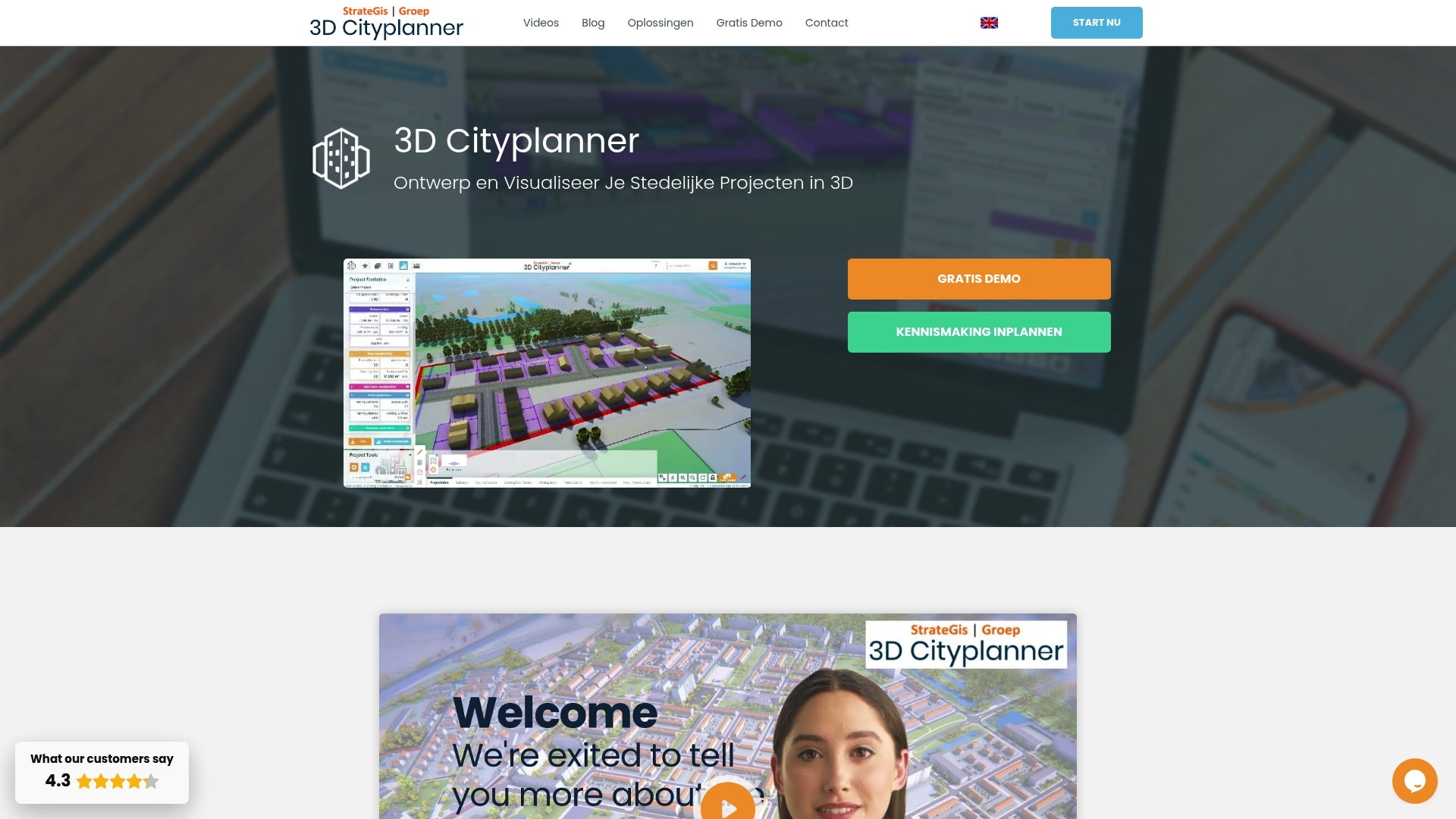
3D Cityplanner is the leading choice for Dutch urban planners who need detailed 3D visualisation and analysis in one platform. It combines cadastral layers, advanced modelling and practical tools that accelerate decision making for complex projects.
Core Features
The platform delivers location analysis with cadastral data and zoning plans alongside mass studies and masterplanning powered by AI for architecture. It includes a land and property exploitation financial module and a Digital Twin City capability for comprehensive 3D visualisation.
Included datasets are extensive and practical: 3D BAG, BGT, Mesh technology, sewer and manhole management, solar potential, lighting and soil composition, among others.
Pros
- Extensive 3D data: The platform provides detailed spatial data that supports rigorous urban planning and realistic visualisation.
- Automatic drawings and AI generators: Built in automation reduces manual modelling time and speeds up concept iterations.
- Multifunctional integration: Multiple data layers and analysis tools are available within a single interface to reduce tool switching.
- Model import support: The system accepts BIM, IFC, SketchUp and CityGML models which simplifies collaboration with architects and engineers.
- Collaboration via digital twin: Dashboards and sharing workflows let project teams and stakeholders review the same up to date model.
Who It’s For
Local governments, urban planners, architects, project developers and real estate analysts focused on Dutch projects will gain most from this tool. Academic researchers and consultants working on spatial policy and environmental analysis also benefit from the data depth and export options.
Unique Value Proposition
3D Cityplanner stands out because it marries authoritative cadastral and municipal datasets with practical planning workflows. The close alignment with Netherlands data sources gives you faster access to verified building geometry and regulatory layers. Smart buyers choose this option when they need accurate 3D context, integrated financial appraisal and AI assisted massing in a single environment. The platform reduces coordination overhead by keeping technical models and planning scenarios together while supporting standard model formats for easy exchange with design teams.
Real World Use Case
A Municipality used 3D Cityplanner to visualise a new housing scheme, prepare permit documentation and run comparative plan scenarios all within the same project file. Planners compared massing options, checked solar potential and exported financial scenarios to support the council report and public consultation.
Pricing
Pricing is not specified in the public data. The vendor offers a two week free demo and subscription plans that vary by usage and features. Contact sales for a tailored quote suited to project scale and dataset needs.
Website: https://3dcityplanner.com
3D Cityplanner
At a Glance
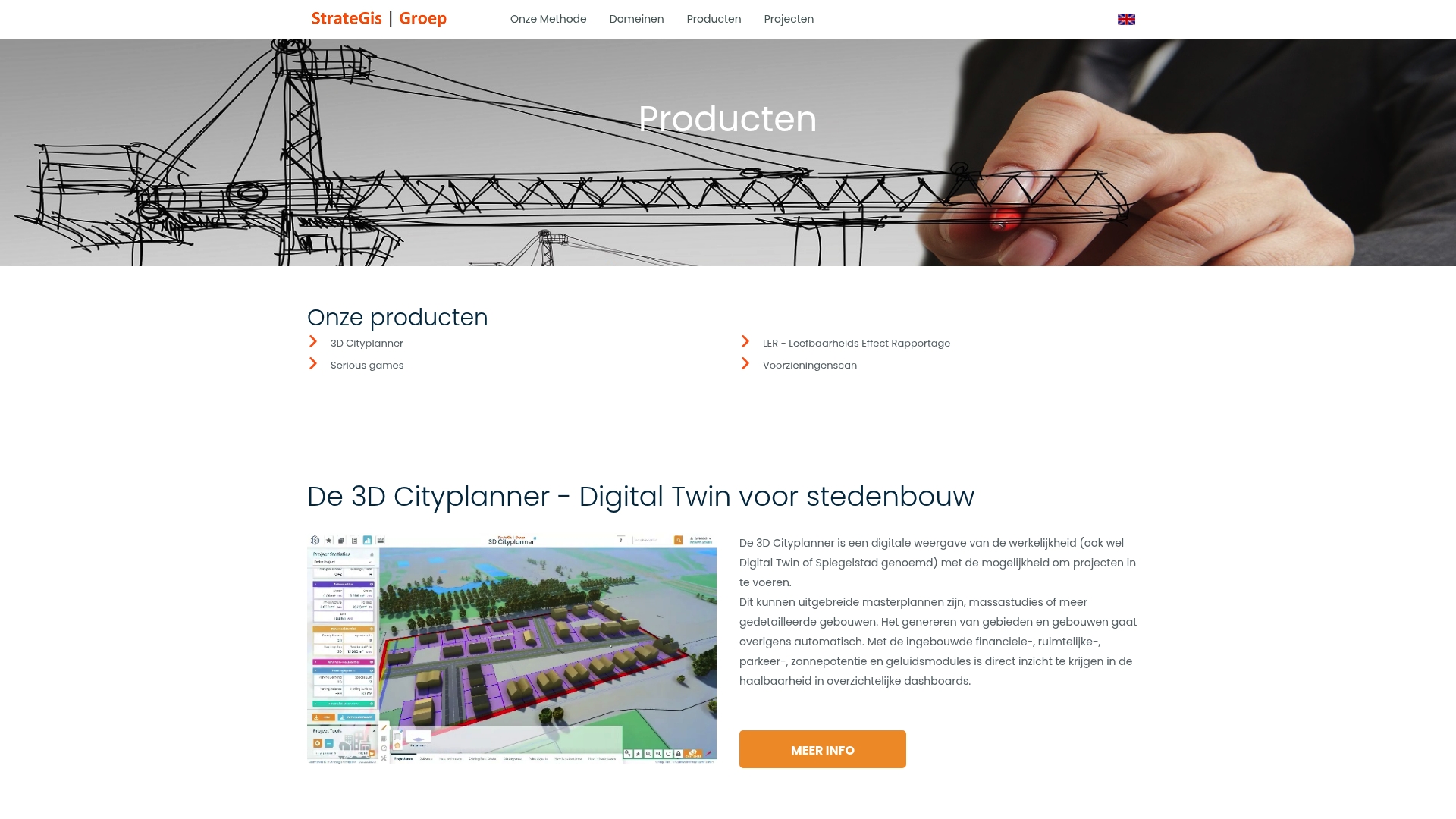
3D Cityplanner is a focused tool for rapid creation of 3D designs of new districts and project areas, with built in risk visualisation to inform spatial decisions. It combines speed with clarity to support planning teams during early project phases.
Core Features
The product enables quick production of 3D designs of districts or areas, allowing planners to see form and massing in context. It provides risk and analysis visualisation in 3D so you can identify, for example, whether a school falls within a hazard zone.
The interface is described as fast and user friendly which reduces setup time for workshops and public consultations. The tool supports spatial planning and project development workflows so it can feed into broader decision making processes.
Pros
- Fast, user friendly design creation: The interface lets teams generate a 3D model of a new build area quickly, reducing time spent on basic modelling tasks.
- Clear 3D risk analysis: Visualising risks in three dimensions gives planners a direct view of spatial impacts that traditional maps do not provide.
- Suited to urban development projects: The tool is purpose built for urban development which makes it relevant to schemes from neighbourhood plans to larger project areas.
- Improves decision making: By showing risk and spatial effects visually, the tool helps stakeholders understand trade offs before committing to designs.
- Integratable into planning processes: Outputs can be used within existing planning workflows to support documentation and stakeholder meetings.
Cons
- Narrower application scope: The tool is specifically aimed at 3D design and visualisation which may limit its usefulness for tasks outside spatial modelling.
- Performance tied to hardware: Achieving optimal responsiveness depends on capable computer hardware which can increase project costs.
- Requires training for full use: Some features need user training to be used effectively which adds time before teams extract maximum value.
Who It’s For
The ideal users are urban planners, architects, project developers, and policy makers working on urban and regional planning matters. Teams preparing design options, risk assessments, or public engagement materials will find the tool directly applicable.
Unique Value Proposition
3D Cityplanner delivers rapid 3D visualisation combined with built in risk analysis so you assess spatial effects and hazards early. Its value lies in converting technical data into visual evidence that supports planning decisions and public discussions.
Real World Use Case
A municipality uses the tool to model a proposed housing development, visualise potential risks and present options to councillors. That workflow helps identify hazards early and improves stakeholder acceptance before formal approvals.
Pricing
Pricing information is not specified on the website.
Website: https://strategisgroep.nl/producten.html#3dcityplanner
ArcGIS

At a Glance
ArcGIS is an enterprise geospatial platform that connects and visualises data through geography for advanced decision making. It combines mapping with deep spatial analytics and scales to support large organisation workflows across planning and infrastructure.
Core Features
ArcGIS provides a comprehensive set of tools for mapping, spatial analytics, and data integration across formats and cloud providers. It supports enterprise deployment, training resources, and partnerships with major cloud vendors to host and extend geo applications.
Pros
- Industry leading software: The platform delivers mature mapping and analysis capabilities that organisations rely on for critical planning and reporting.
- Enterprise scale: ArcGIS supports large deployments and data volumes while offering governance and security controls suitable for municipal and corporate use.
- Strong ecosystem: A large community and partner network including cloud providers helps with integrations and technical support.
- Broad training resources: Esri supplies courses and documentation that shorten the learning path for teams building location powered applications.
- Cross sector adoption: The platform is proven across urban planning, environmental management, and commercial location intelligence projects.
Cons
- Steep learning curve: Beginners face a substantial ramp up to master advanced spatial tools and scripting workflows.
- Opaque pricing: Pricing is not presented on the homepage and appears to vary by deployment and licence tier which can challenge budget planning for small organisations.
- Technical requirements: Advanced features demand sufficient technical expertise and infrastructure to deploy and maintain effectively.
Who It’s For
ArcGIS suits city planners, architects, environmental scientists and large enterprise teams that require rigorous spatial analysis and map driven decision making. Teams that must integrate spatial data with enterprise systems will find the platform beneficial.
Unique Value Proposition
ArcGIS combines an extensive feature set with a mature support ecosystem and cloud partnerships that enable robust, scalable geo solutions. The platform excels when an organisation needs authoritative spatial data, advanced analytics and governance at scale.
Real World Use Case
A homebuilding company uses ArcGIS to analyse demographic and parcel data to optimise new developments. The team overlays population, transport access and site constraints to select plots and forecast demand for housing types.
Pricing
Pricing is not specified on the homepage and varies by deployment model and feature set. Expect enterprise licences and hosted solutions to be quoted based on user numbers and functional requirements.
Website: https://esri.com
Space Syntax
At a Glance
Space Syntax offers a long established, research led service that helps you make measurable choices about urban and building performance. Their approach blends science based methods with practical consultancy to reduce project risk and strengthen decision making.
Core Features
Space Syntax combines science based methods for analysing spatial layouts and human behaviour with data driven tools for forecasting social economic and environmental impacts. They also provide training programmes, bespoke research and digital solutions for measuring connectivity and performance.
Their services cover cities and regions, property developments, buildings and estates plus organisational training. The suite supports strategy formation, site optimisation and forecasting using spatial connectivity analysis and performance metrics.
Pros
- Deep expertise and longevity: The team has operated since 1989, which gives project teams confidence in method reliability and institutional knowledge.
- Comprehensive service range: Strategy, design, research and training are available under one roof so you can move from analysis to implementation without switching suppliers.
- Human centred focus: Their methods foreground pedestrian movement and social performance which helps improve safety and activation in public spaces.
- Advanced digital analysis: The platform uses digital tools to quantify impacts which supports evidence based decisions for investment and planning.
- Global presence with local insight: Regional offices provide local context which matters when applying generic models to specific regulatory and cultural settings.
Cons
- Information on specific pricing is not provided on the website which makes initial procurement budgeting harder for municipal teams and developers.
- The complexity of their methods may require specialist skills which means you might need to commit internal training or external support to fully benefit.
- Heavy reliance on digital tools and data analysis can create barriers for organisations that lack analytical capacity or clear data protocols.
Who It’s For
Space Syntax is aimed at urban planners, property developers, architects and local government teams that prioritise evidence based, human centred design. It suits organisations that intend to use spatial analysis to de risk major investments and to improve social and economic outcomes.
Unique Value Proposition
Space Syntax marries decades of academic research with applied consultancy and digital tools offering a clear route from analysis to practical change. Their focus on spatial connectivity and behavioural evidence helps you justify design choices to stakeholders and funders.
Real World Use Case
A city government commissions Space Syntax to develop a metropolitan transport strategy. They apply spatial connectivity analysis to improve pedestrian flows, optimise land use and raise perceived safety. The resulting plan influences investment prioritisation and urban design guidelines.
Pricing
Pricing is not specified on the website so you will need to request a proposal. This implies custom quotes tailored to project scope and client needs.
Website: https://spacesyntax.com
UrbanFootprint
At a Glance
UrbanFootprint is a geospatial data and analytics platform focused on urban, climate, and community resilience across the United States. It combines curated datasets with visual tools to help infrastructure, planning, and finance teams make data driven decisions.
Core Features
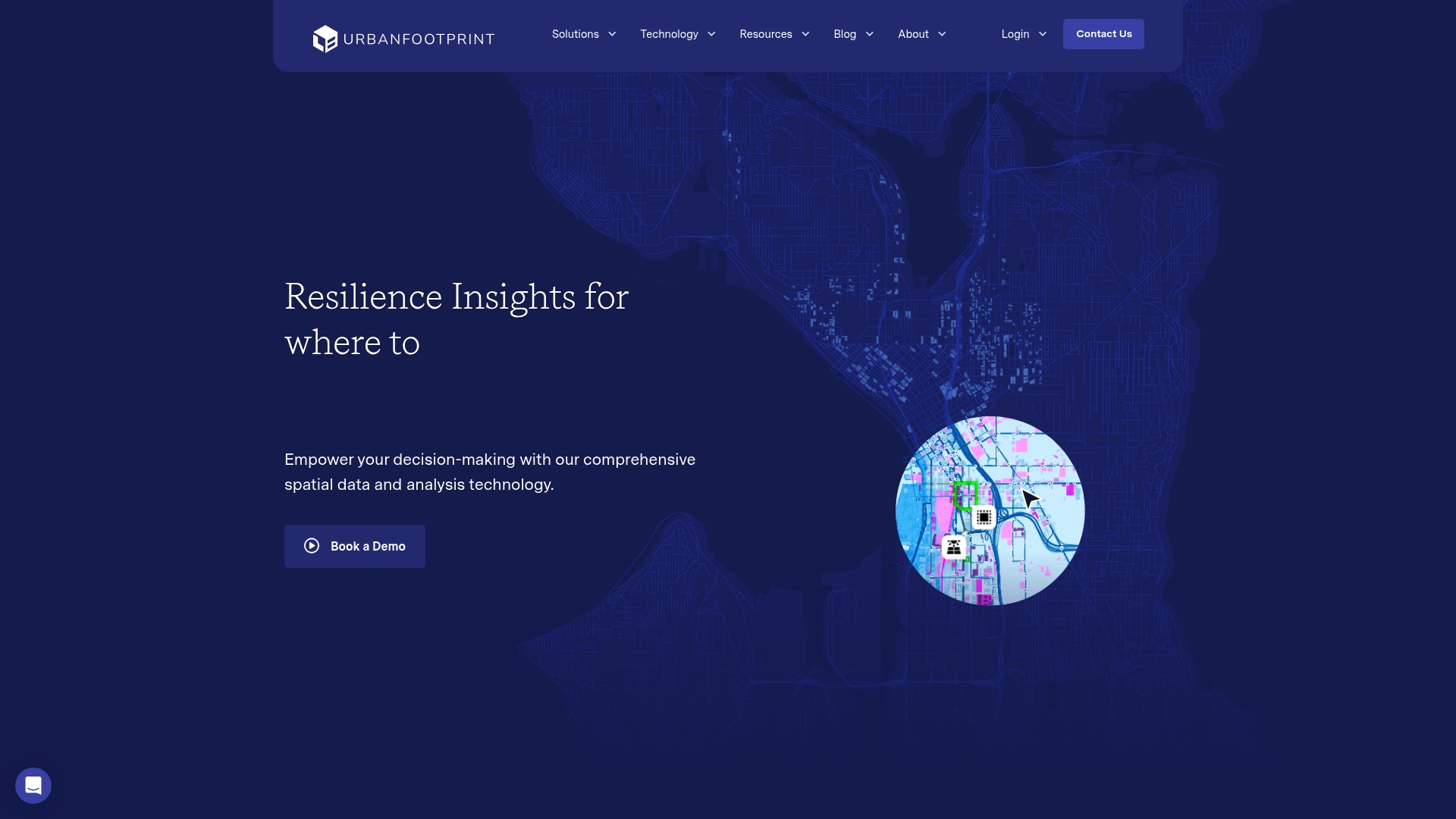
UrbanFootprint centralises thousands of datasets in an Insight Engine that supports mapping, analysis, and data feeds. The platform offers Resilience Insights to highlight risk signals where urban, climate, and social factors intersect.
The service includes three data foundations: Built Environment, People & Vulnerabilities, and Climate & Hazards, plus Data Experiences such as Analyst GIS mapping, Explorer dashboards, and Direct Data feeds.
Pros
- Comprehensive geospatial datasets: The platform curates many data layers into a single geospatial core, reducing time spent aggregating disparate sources.
- Tools for risk analysis and site selection: Analysts can model hazard exposure and asset vulnerability to prioritise infrastructure interventions.
- User friendly visualisation and analytics: Explorer dashboards present complex indicators in an accessible way for stakeholder briefings.
- Cross sector support: Utilities, government agencies, financial institutions, and private developers can all apply the outputs to planning and investment cases.
- Extensive resource materials: Documentation and support resources help teams integrate data into their workflows.
Cons
- Training required for depth: The platform’s complexity and data density mean new users will need training to extract full value.
- Opaque pricing: Pricing is not published on the website, which complicates budget planning for public agencies and smaller consultancies.
- United States focus: The dataset coverage concentrates on the United States, limiting applicability for projects outside that territory.
Who It’s For
UrbanFootprint suits organisations engaged in urban development, climate resilience, infrastructure investment, and community planning that require robust, location specific analytics. It fits teams that value data provenance and need repeatable analysis for funding or regulatory submissions.
Unique Value Proposition
UrbanFootprint brings together curated data foundations with ready made analytic experiences so teams can move from question to map quickly. The combination of Resilience Insights and a single geospatial data core reduces manual data preparation for complex resilience assessments.
Real World Use Case
A city government uses UrbanFootprint to map wildfire exposure and community vulnerability, then ranks neighbourhoods for mitigation funding. Planners produce evidence based adaptation plans and show decision makers where investments yield the greatest resilience return.
Pricing
Pricing is not specified on the website and the vendor requests that interested users book a demo to discuss licensing and deployment options.
Website: https://urbanfootprint.com
At a Glance
This entry represents a website gatekeeping approach centred on a robot verification process that restricts access until a user validates they are human. The bottom line is simple: security is prioritised at the expense of immediate access to content.
Core Features
The site implements a robot verification mechanism that blocks automated requests and limits scraping. The platform also applies access restriction controls to specific content or features so only verified users can proceed. These features together function as a basic security layer for online assets.
Pros
- Protects content from automated scraping: The verification barrier prevents mass harvesting of pages which preserves data integrity and licensing.
- Enhances security: Requiring verification reduces the attack surface for automated abuse and scripted vulnerability scans.
- Ensures genuine user access: The gate filters out bots so interactions on restricted pages are more likely to come from real users.
- May improve user experience by filtering bots: Reduced automated noise can lead to cleaner analytics and fewer false signals for administrators.
- Could be part of a broader platform: The presence of verification suggests an underlying service model that values controlled access and governance.
Cons
- Inconvenience for legitimate users: Human visitors must complete extra steps which lengthen the path to information and interrupt task flow.
- Potential to block or delay access: Time sensitive work such as project reviews can be delayed by verification time or false positives.
- Limited information without verification: Public evaluation of the platform is hindered because feature details remain hidden until the check completes.
Who It’s For
This approach suits website administrators and security professionals who require gatekeeping for sensitive or licence bound content. It also fits owners of technical documentation and datasets that need protection from automated consumption.
Unique Value Proposition
By applying a strict verification gate the site emphasises access control and content protection over open browsing. The value lies in preventing automated scraping and preserving content value for verified stakeholders and paying users.
Real World Use Case
A project manager attempts to access a planning dataset and is presented with the verification challenge before download. Completing the check grants access while preventing automated bots from retrieving the same dataset repeatedly.
Pricing
Pricing information is not available from the current site content and cannot be confirmed without completing verification or contacting the operator directly.
Website: https://urbanplanit.com
City Form Lab
At a Glance
City Form Lab delivers rigorous, research driven tools for understanding urban pedestrian behaviour and mobility outcomes. Its work is highly relevant when you need evidence based analysis to inform public space design, policy and transport decisions.
Core Features
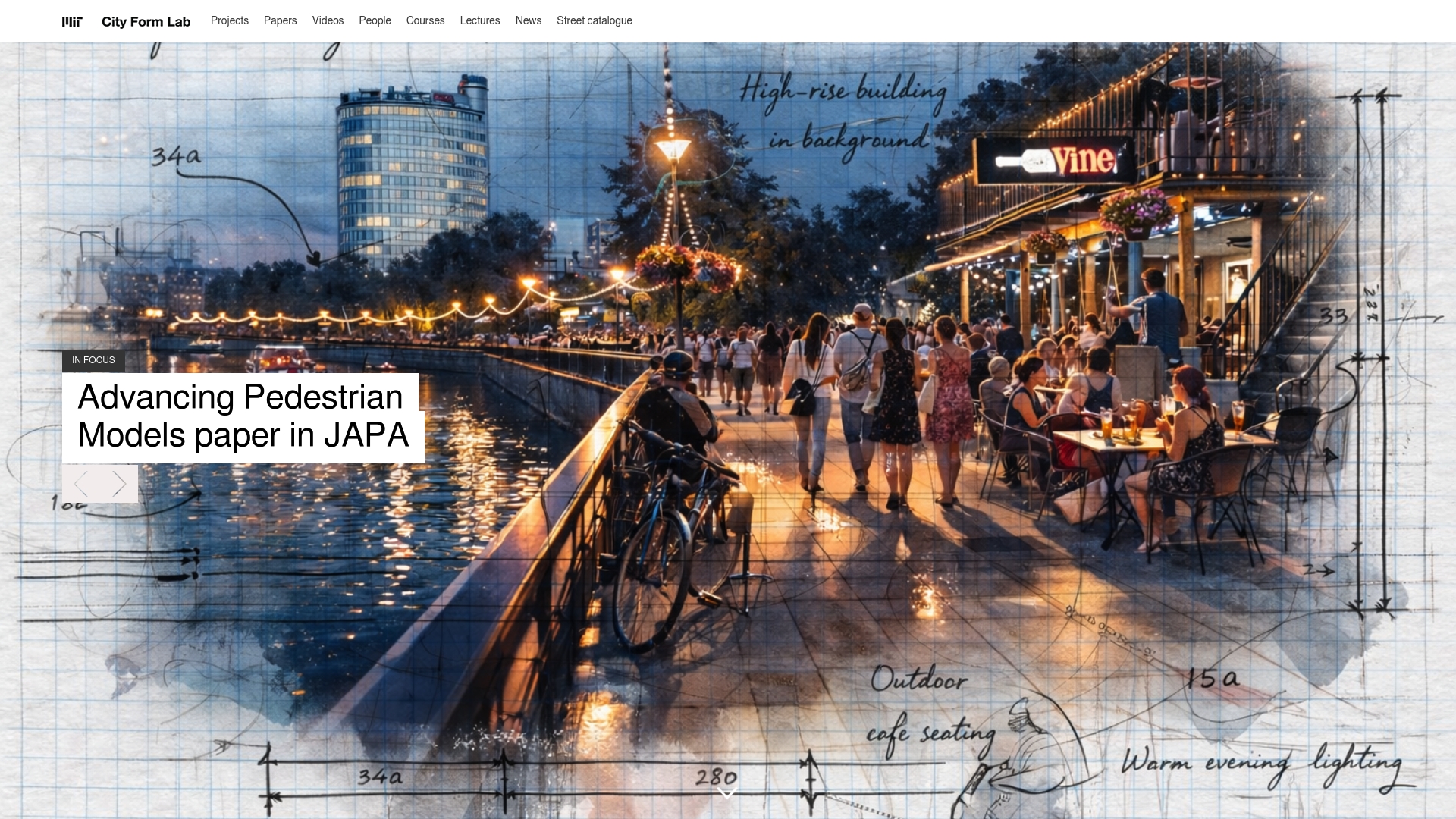
The Lab specialises in modelling and forecasting pedestrian activity, analysing location choices and street level amenity distribution, and studying how urban form influences mobility outcomes. It also produces tools and datasets for urban network analysis and develops context sensitive design and policy insights.
Pros
- Pedestrian focused approach: The Lab emphasises pedestrian behaviour and sustainability, making its outputs especially useful for projects that prioritise walkability and public health.
- Interdisciplinary methods: Research combines modelling, design and policy analysis so findings work across academic, municipal and practitioner audiences.
- Practical toolset: The development of the Urban Network Analysis Toolbox and related datasets provides actionable inputs for spatial network assessments.
- Strong collaborations: The Lab works with industry, government and academic partners, which helps transfer research into real world projects and pilot programmes.
- Research contributions: Publications and case studies support evidence based decision making and feed directly into planning practice and policy dialogues.
Cons
- Academic orientation may limit usability for practitioners: Many outputs are research focused and require translation before adoption in commercial practice.
- Not targeted at commercial product delivery: The Lab prioritises knowledge generation and policy insight rather than packaged, off the shelf software for immediate deployment.
- Access limitations for some resources: Latest tools and datasets may be available primarily through academic partnerships or subscription arrangements rather than open access.
Who It’s For
Urban planners, researchers, policymakers and students seeking deep analysis of pedestrian mobility and urban form will find the Lab highly relevant. Practitioners developing walkability strategies or evidence led public space interventions also benefit from its empirical approach.
Unique Value Proposition
City Form Lab combines rigorous spatial modelling with design led thinking to produce actionable insights on pedestrian behaviour and mobility. Its strength lies in translating complex network analysis into policy relevant recommendations for healthier and lower emission urban environments.
Real World Use Case
A planner uses pedestrian activity models from the Lab to optimise sidewalk widths and public realm allocation in New York. The same models inform route planning to improve walkability and underpin policy changes to enhance urban livability and sustainability.
Pricing
Pricing is not specified and the Lab operates primarily within a research and academic framework. Access to certain tools or datasets may depend on project partnerships, academic collaboration or specific subscription arrangements.
Website: https://cityform.mit.edu
Geodesignhub
At a Glance
Geodesignhub is a digital framework that converts scattered stakeholder input into structured spatial decisions for high stakes planning and negotiation. It excels where consensus is required across diverse interests and tight political timetables.
Core Features
Geodesignhub centres on a map based negotiation environment paired with real time collaboration and deep integration with GIS and modelling tools. The platform guides teams through a structured workflow from scope to implementation.
- Map based negotiation framework for spatial planning
- Real time collaboration with up to 50 participants
- Tools for data import, scenario management and exporting reports and spatial data
Pros
- Supports high stakes negotiations: The platform helps convert competing proposals into evidence backed scenarios that are easier to discuss and compare.
- Flexible collaboration modes: Teams can work online or in person which helps bridge technical and non technical stakeholder groups.
- Strong data integration: Native connections to GIS and modelling tools let you anchor discussions in verifiable datasets.
- Structured project flow: The guided workflow reduces scope drift and keeps multi phase projects moving towards implementation.
- Tiered pricing with discounts: Volume discounts and special conditions for public or humanitarian projects make larger programmes more affordable.
Cons
- Requires spatial planning familiarity: Users without planning experience will need orientation to read maps and interpret scenarios effectively.
- Learning curve for new users: The interface and process logic demand time investment before novices can contribute efficiently.
- Complexity for small projects: Features and pricing can feel heavy and intricate for casual users or very small initiatives.
Who It’S For
Geodesignhub suits property developers, urban planners, local authorities and community organisations handling complex negotiations. It benefits multi agency projects where evidence based trade offs and transparent records of decisions matter.
- Property developers and project managers
- Local authorities and planning departments
- Community organisations and stakeholder groups
Unique Value Proposition
Geodesignhub combines collaborative negotiation with spatial evidence so decisions become traceable and repeatable. The platform reduces conflict by shifting debates from opinion to scenario comparisons backed by imported data and transparent workflow steps.
- Emphasises consensus through mapped scenarios
- Keeps stakeholder inputs auditable and time stamped
- Links technical models directly to negotiation sessions
Real World Use Case
A City government runs an urban renewal programme using Geodesignhub to convene residents, developers and environmental groups. Participants co create scenarios, run comparisons and export spatial reports for council meetings and public records.
- Convene up to 50 participants in targeted events
- Import GIS layers, test scenarios and export results for hearings
- Document decisions for political reconciliation and implementation
Pricing
Pricing is flat rate and transparent, set by the number of participants and events with volume discounts available. Special support and discounts apply to public and humanitarian projects which reduces barriers for funded programmes.
- Flat rate by participants and events with volume discounts
Website: https://geodesignhub.com
Urban Planning Tools Comparison
The following table provides a comparison of leading urban planning software and services, summarizing their key features, advantages, limitations, and target users based on the provided analysis.
| Tool | Key Features | Advantages | Limitations | Ideal Users |
|---|---|---|---|---|
| 3D Cityplanner | Detailed 3D visualization, cadastral data, AI mass studies, integration with BIM | Extensive data support, multifunctional, model import capabilities | Performance relies on sufficient hardware | Urban planners, local governments, architects |
| ArcGIS | Comprehensive geospatial analytics, enterprise deployment, training resources | Industry leader, extensive features, proven efficacy | Steep learning curve, opaque pricing | Planners, infrastructure developers, scientists |
| Space Syntax | Spatial connectivity analysis, human-focused design insights | Expertise-backed methods, research-based approach | Complexity for non-academic uses | Urban planners, policy makers, researchers |
| UrbanFootprint | Curated datasets, risk and vulnerability analytics | User-friendly, supports infrastructure resilience planning | Limited to the US, training requirement | Community developers, finance teams, utilities |
| Geodesignhub | Map-based planning, real-time collaboration, structured workflows | Consensus-focused, supports multi-agency initiatives | Requires planning knowledge, learning curve | Urban planners, local authorities, organizations |
This comprehensive comparison aims to aid users in identifying the platform that best aligns with their professional needs and contexts.
Discover How Advanced 3D Technology Can Transform Your Urban Planning Projects
If you are exploring alternatives to strategisgroep.nl for your urban development, you know the challenge lies in integrating detailed spatial data with powerful design and analysis tools. Key pain points often include time-consuming manual modelling, the need for reliable cadastral and zoning information, and effective collaboration among diverse stakeholders. These demands call for a solution that offers both precision and ease of use.
3D Cityplanner addresses these challenges by providing a comprehensive platform that combines automatic building generation, line of sight visualisations, and noise simulation alongside import options for several 3D model formats. This enables faster, more informed decision-making throughout your project lifecycle. Explore how its 4D planning features with automatic timelines enhance real-time project phase management for seamless collaboration.
Take control of your urban planning process today with 3D Cityplanner. Experience the power of advanced 3D tools tailored for professionals in development, architecture, and property sectors. Visit our main website for a trial or more information and start optimising your projects with technology designed for your success.
Frequently Asked Questions
What should I consider when choosing an alternative to strategisgroep.nl?
Selecting an alternative requires evaluating features such as 3D visualisation capabilities, ease of use, data integration, and support for collaborative workflows. List your primary needs, then compare the alternatives against these criteria to make an informed choice.
How can I compare the pricing of different platforms similar to strategisgroep.nl?
To compare prices effectively, create a spreadsheet listing the alternatives with their pricing tiers, available features, and any additional costs. This approach allows you to weigh the cost against the value provided by each option within a week or two.
What features are most important in urban planning software alternatives?
Key features to look for include 3D modelling capabilities, data analysis tools, collaboration options, and support for various file formats. Assess these features based on your specific project requirements to streamline the decision-making process.
How do I evaluate the user interface of different alternatives?
To evaluate the user interface, consider setting up trial accounts where available and spend a few hours navigating each platform. Pay attention to the overall ease of use, clarity of features, and accessibility of tools to determine which tool aligns best with your team’s workflow.
Can I import existing models into these alternatives?
Most alternatives support the import of common file formats like BIM and IFC, but verify each platform’s capabilities. Check the documentation or customer support for specific instructions on the import process to ensure a smooth transition.
How do I ensure that an alternative can meet my long-term planning needs?
Examine the platform’s scalability by reviewing its features, customer feedback, and any available case studies of long-term use by other teams. Additionally, consider reaching out to customer service to ask about future updates and support for growing project demands.
Recommended
- Top 4 OpenRed.nl Alternatives in 2026 for Urban Planners in Europe – 3D Urban Development
- 3D Urban Development – Where data, 3D and urban design come together
- Top 7 Tygron.com Alternatives in 2026 for Urban Planners and Architects Seeking Efficient 3D Modelling Solutions – 3D Urban Development
- Top 5 partnershare.cn Alternatives in 2026 for Urban planners and architects seeking enhanced project collaboration tools. – 3D Urban Development