Master urban space modelling with advanced 3D tools in 2026
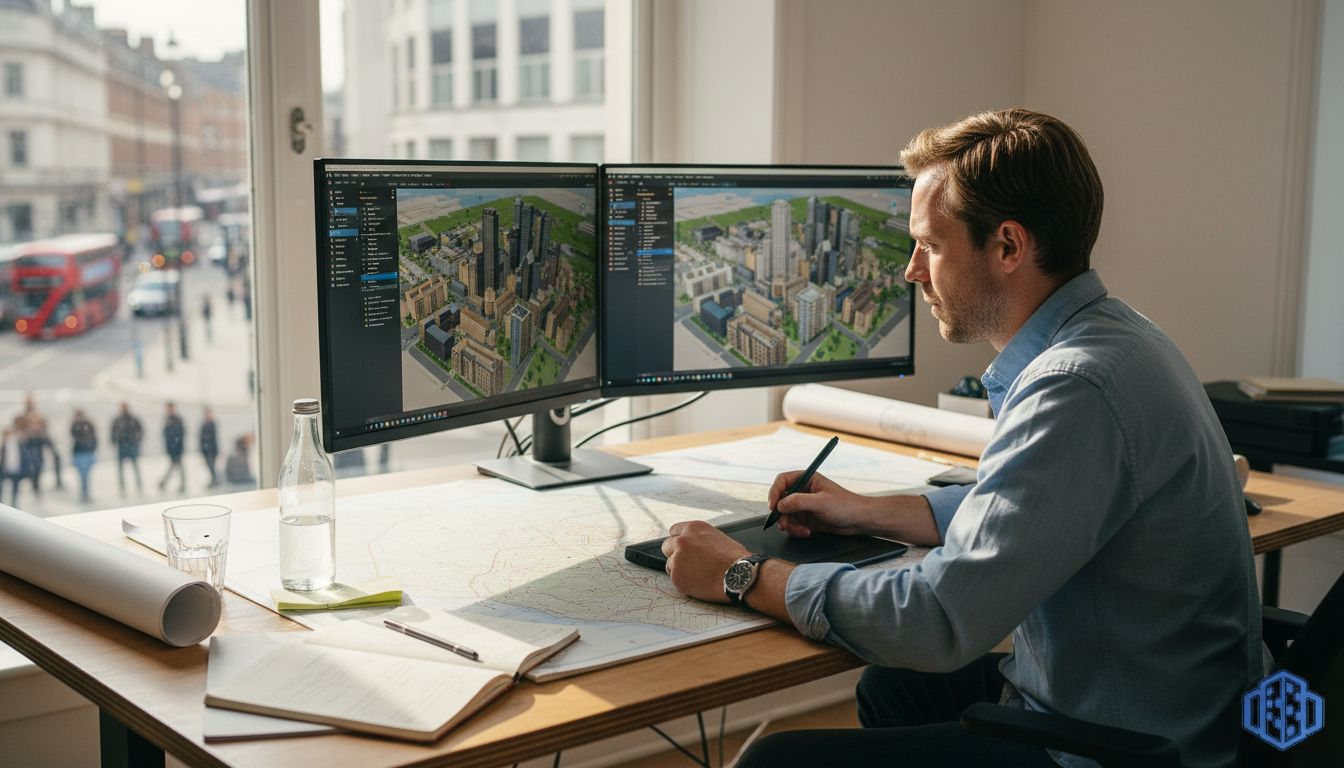
Urban planners grapple with integrating disparate GIS datasets, coordinating stakeholders across departments, and managing complex zoning constraints when modelling urban environments. These challenges contribute to 40% of urban projects facing delays due to model inaccuracies or collaboration breakdowns. Advanced 3D modelling tools now streamline these workflows, enabling you to prepare accurate datasets, automate building generation, simulate scenarios, and collaborate in real time to deliver projects faster and with greater precision.
Table of Contents
- Introduction To Urban Space Modelling
- Prerequisites And Preparation
- Step-By-Step Workflow For Urban Space 3D Modelling
- Common Mistakes And Troubleshooting
- Scenario Simulation And Impact Assessment
- Collaboration And Communication
- Expected Results And Timelines
- Alternative Modelling Approaches And Trade-Offs
- Discover 3d Cityplanner For Urban Modelling
- Frequently Asked Questions
Key takeaways
| Point | Details |
|---|---|
| Integrated workflows reduce rework | Combining GIS, zoning data, and AI automation cuts redesign cycles by up to 30%. |
| Data accuracy is foundational | Verified spatial and regulatory datasets prevent costly model errors and compliance issues. |
| Scenario simulation informs decisions | Testing shadows, noise, and traffic impacts early improves stakeholder confidence and approval speed. |
| Cloud collaboration accelerates timelines | Real-time multi-user editing and version control shorten feedback loops by 20-30%. |
| Typical projects span 1-3 months | Duration depends on complexity, team skill, and quality of preparatory data. |
Introduction to urban space modelling
Urban space modelling creates detailed 3D representations of cities, neighbourhoods, and infrastructure, integrating spatial data with regulatory frameworks to guide planning decisions. These digital environments combine geometry, land use, zoning rules, and environmental factors into a single interactive model.
Advanced tools support you in testing design alternatives, visualising development impacts, and engaging stakeholders through immersive experiences. By layering GIS datasets, cadastral boundaries, and building footprints, you establish a digital twin that mirrors real-world conditions.
Key benefits include:
- Improved visualisation of proposed developments within existing urban fabric
- Rapid scenario testing for density, height, and land-use variations
- Evidence-based decision-making supported by quantifiable impact metrics
- Enhanced stakeholder communication through interactive 3D presentations
- Streamlined regulatory compliance by embedding zoning constraints directly into models
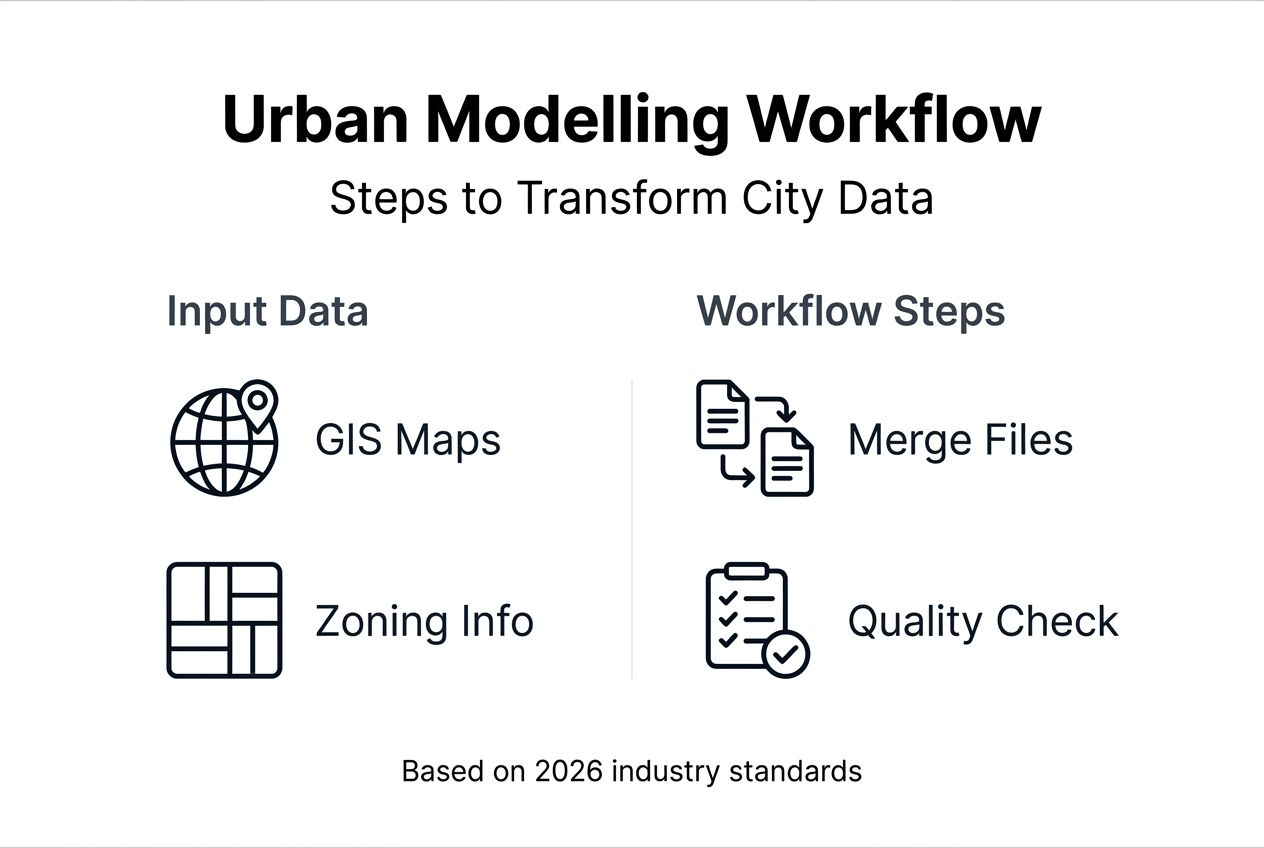
Integrated workflows transform fragmented datasets into cohesive planning tools. When you merge cadastral maps, topography, utilities, and transport networks, you create a comprehensive foundation for design iteration and impact assessment. This approach reduces guesswork, accelerates approvals, and aligns project outcomes with policy objectives.
Prerequisites and preparation
Before launching your modelling project, assemble high-quality data and configure your technology stack. Success hinges on the accuracy and completeness of foundational datasets.
Essential data sources:
- GIS layers: Building footprints, parcel boundaries, road networks, and elevation contours from municipal or national geospatial agencies
- Zoning and land-use plans: Current regulatory frameworks, height restrictions, setback requirements, and permitted densities
- Environmental baselines: Existing noise levels, traffic counts, tree canopy coverage, and drainage systems
- Utility networks: Water, sewer, electricity, and telecommunications infrastructure locations
Software and hardware requirements depend on project scale. Platforms like 3D Cityplanner or ArcGIS Urban offer cloud-based environments that handle large datasets without demanding high-end local hardware. For complex custom geometries, parametric tools require workstations with dedicated GPUs and at least 16GB RAM.
Preparation time averages 45 minutes to 1 hour when GIS and planning data are readily available. Verifying spatial accuracy before import prevents downstream errors. Cross-reference building heights with survey data, confirm parcel boundaries against legal records, and validate zoning classifications with planning authorities.
| Preparation task | Typical duration | Critical outputs |
|---|---|---|
| Data gathering and sourcing | 2-5 days | Complete GIS layers, zoning maps, environmental baselines |
| Spatial accuracy verification | 1-2 days | Validated coordinates, corrected topology, aligned projections |
| Initial software configuration | 0.5-1 day | Imported datasets, configured layer styles, established coordinate systems |
Data quality directly impacts model reliability. Outdated cadastral information or missing utility networks force time-consuming revisions later. Engage with local authorities early to secure the most current datasets and clarify regulatory expectations. Urban planning tools with GIS integration simplify this process by connecting directly to authoritative data sources. Following city planning best practices for urban modelling ensures you build on a solid foundation. Additional guidance is available in ArcGIS Urban official documentation.
Step-by-step workflow for urban space 3D modelling
Executing an efficient modelling workflow requires systematic progression through data setup, automated generation, scenario creation, and export.
- Import and organise spatial layers: Load GIS datasets into your platform, ensuring correct coordinate reference systems and layer hierarchies. Group related data such as buildings, parcels, and infrastructure for easy management.
- Establish the urban digital twin baseline: Configure zoning overlays, land-use designations, and regulatory constraints as parametric rules. This digital twin reflects current conditions and policy frameworks.
- Generate building masses automatically: AI-powered 3D modelling tools accelerate creation by inferring building geometries from footprints, height data, and typology classifications. Platforms apply textures and facade details based on local architectural styles.
- Refine individual structures: Manually adjust buildings requiring custom detailing, such as heritage sites or landmark developments. Add balconies, courtyards, and rooftop features where visual accuracy matters.
- Create development scenarios: Duplicate the baseline model and modify parameters like density, building heights, or land-use mix. Test alternatives against sustainability targets, traffic capacity, and community feedback.
- Run impact simulations: Execute shadow analysis for seasonal sunlight access, noise modelling for traffic and industrial sources, and pedestrian flow studies. Review outputs to identify design improvements.
- Export interoperable formats: Generate files compatible with BIM software, GIS platforms, and presentation tools. Common formats include CityGML, IFC, and KML for diverse stakeholder needs.
- Enable cloud collaboration: Share interactive models with team members and decision-makers. Real-time editing and commenting accelerate feedback cycles and reduce approval delays.
Pro Tip: Automate repetitive modelling tasks such as applying standard building typologies or generating street furniture to save hours of manual work and maintain consistency across large areas.
Leveraging 3D city models for urban planning ensures you follow industry standards for interoperability and data quality. Detailed techniques for individual structures are covered in 3D building modeling tutorials. For comprehensive process optimisation, consult the urban design workflow guide for 2026. Further AI-driven approaches are explained in the Tripo AI 3D modelling guide.
Common mistakes and troubleshooting
Even experienced planners encounter obstacles that derail timelines and inflate costs. Recognising these pitfalls early keeps projects on track.
Frequent errors include:
- Using outdated or inaccurate GIS data: 40% of urban projects face delays when models rely on obsolete datasets. Update spatial information quarterly and validate against ground surveys.
- Ignoring zoning constraints during design: Overlooking height limits or setback rules leads to 35% of redesigns due to regulatory non-compliance. Embed zoning parameters as model constraints from the outset.
- Insufficient stakeholder collaboration: Siloed workflows prolong approval cycles when decision-makers lack access to interactive models. Cloud platforms with real-time sharing prevent communication gaps.
- Neglecting scenario testing: Skipping shadow, noise, or traffic simulations results in unanticipated impacts discovered late in the approval process. Run impact assessments early and iteratively.
- Failing to maintain version control: Manual file management creates conflicts when multiple users edit simultaneously. Automated version tracking prevents data loss and rollback confusion.
Pro Tip: Conduct weekly model reviews with your team to catch data inconsistencies, modelling errors, and design conflicts before they cascade into major rework.
“Model-related redesigns consume 20-30% of project budgets when foundational data and regulatory constraints are not validated upfront. Early verification and cloud collaboration reduce this waste significantly.”
Addressing collaboration challenges requires deliberate tool selection and process design. Urban planning collaboration features facilitate multi-user workflows and stakeholder engagement. Additional insights on tool capabilities are available from Neuroject urban design tools.
Scenario simulation and impact assessment
Simulation tools transform static models into dynamic testbeds for evaluating design consequences. Running scenario analyses before construction mitigates risks and improves community outcomes.
Key simulation types:
- Shadow analysis: Calculate seasonal and hourly sun exposure on parks, streets, and neighbouring buildings. Identify where tall structures cast problematic shade during peak usage hours.
- Noise modelling: Predict sound pollution from traffic, rail, and commercial activities. Assess whether proposed developments exceed acceptable thresholds and design mitigation measures like buffer zones or sound barriers.
- Traffic flow assessment: Simulate vehicle and pedestrian movements under different density scenarios. Pinpoint congestion hotspots and optimise road layouts, intersection designs, and public transport connections.
- Wind and microclimate studies: Evaluate how building massing affects wind speeds at ground level. Adjust tower placement to avoid creating uncomfortable pedestrian environments.
- Utility capacity analysis: Test whether existing water, sewer, and electricity networks can handle increased demand from new developments without costly infrastructure upgrades.
Interpreting simulation outputs requires comparing results against policy benchmarks and community standards. For example, if shadow analysis shows a playground receives less than four hours of midday sun in winter, redesign building placement or reduce tower heights. Traffic simulations revealing intersection delays exceeding 90 seconds during peak hours signal the need for signal timing adjustments or dedicated turn lanes.
Visualising scenarios through interactive 3D models improves stakeholder comprehension. Present shadow impacts as animated sequences showing daily sun movement, or display noise levels as colour-coded heat maps overlaid on streets. These visualisations enable non-technical audiences to grasp complex trade-offs and contribute informed feedback during public consultations.
Collaboration and communication
Cloud-based 3D modelling platforms dissolve traditional barriers between planners, architects, engineers, and decision-makers. Real-time collaboration accelerates project delivery and improves design quality through continuous feedback.
Collaboration advantages:
- Simultaneous multi-user editing: Team members refine different model sections concurrently without file locking or manual merge conflicts. Changes sync instantly across all users.
- Interactive model sharing: Stakeholders explore designs through web browsers without installing specialised software. They navigate viewpoints, toggle layers, and leave spatially anchored comments directly on 3D elements.
- Automated version control: Platforms track every edit with timestamps and user attribution. Revert to previous versions if experimental changes prove unworkable.
- Reduced approval cycles: Decision-makers access current models anytime, eliminating delays waiting for scheduled meetings or static report distributions. This transparency shortens approval times by up to 30%.
- Secure access management: Assign granular permissions controlling who can view, comment, or edit specific model components. Protect sensitive data while enabling broad stakeholder participation.
Effective collaboration requires establishing clear workflows and communication protocols. Designate model owners responsible for validating changes, schedule regular review sessions to discuss progress, and use commenting features to document design rationale for future reference.
Urban planning collaboration software features streamline these processes by integrating task management, notification systems, and approval workflows directly within modelling environments. For deeper exploration of collaborative capabilities, review urban planning collaboration features.
Expected results and timelines
Setting realistic expectations helps you allocate resources and measure success. Project duration and outcomes vary based on scope, team experience, and data availability.
Urban modelling projects typically require 1-3 months from initial data preparation to final scenario analysis. Small infill developments with straightforward zoning may complete in four weeks, while comprehensive masterplans for mixed-use districts demand three months or more.
| Project phase | Duration | Key deliverables |
|---|---|---|
| Data preparation and verification | 1-2 weeks | Validated GIS layers, zoning overlays, environmental baselines |
| Baseline model creation | 1-2 weeks | Complete digital twin with existing buildings, infrastructure, and regulatory constraints |
| Scenario development and simulation | 2-4 weeks | Alternative design options, impact assessments, comparative analyses |
| Stakeholder review and refinement | 2-3 weeks | Revised models incorporating feedback, final scenario selection |
| Export and documentation | 1 week | Interoperable files, technical reports, presentation materials |
Success benchmarks:
- Model completeness: Achieve 95% accuracy in building footprints, heights, and land-use classifications against surveyed conditions
- Zoning compliance: Ensure all proposed scenarios meet regulatory constraints without requiring variances or exceptions
- Collaboration efficiency: Reduce approval cycle duration by 20-30% through real-time stakeholder access and interactive reviews
- Impact mitigation: Demonstrate measurable improvements in shadow access, noise levels, or traffic flow compared to baseline conditions
Return on investment stems from avoided redesigns, faster approvals, and improved community acceptance. Projects that validate data early and engage stakeholders continuously deliver better outcomes within tighter budgets. Software licensing and hardware costs are offset by reduced consultant fees and shortened project timelines. Additional context on project economics is available from Architecture Lab urban modelling timelines.
Alternative modelling approaches and trade-offs
While AI-powered platforms dominate contemporary workflows, parametric modelling and traditional CAD methods remain relevant for specific use cases. Understanding trade-offs guides tool selection.
| Approach | Strengths | Limitations | Best for |
|---|---|---|---|
| AI-powered tools | Rapid automated generation, low technical barrier, cloud collaboration | Limited custom geometry control, reliance on training data quality | Large-scale masterplans, quick scenario testing, stakeholder engagement |
| Parametric modelling | Precise custom geometries, algorithmic design exploration, integration with environmental analysis | Steep learning curve, longer setup times, requires scripting skills | Complex landmark buildings, research-driven projects, highly customised forms |
| Traditional CAD | Familiar interface, detailed manual control, extensive legacy support | Time-intensive, poor collaboration features, limited scenario automation | Heritage documentation, small-scale renovations, single-building focus |
Parametric platforms like Grasshopper enable you to encode design rules as algorithms, generating infinite variations by adjusting input parameters. This flexibility suits projects exploring novel typologies or optimising performance metrics like solar gain or structural efficiency. However, mastering these tools demands advanced GIS knowledge and scripting proficiency, extending project timelines by 30-50% compared to AI-assisted methods.
AI-driven platforms sacrifice geometric precision for speed and accessibility. They excel when you need to model entire districts quickly, test multiple scenarios, and share results with non-technical stakeholders. The trade-off is reduced control over architectural details and dependency on the platform’s training dataset representing your regional building styles.
Choose your approach based on project complexity, timeline constraints, and team expertise. For comprehensive urban planning initiatives requiring rapid iteration and broad collaboration, AI-powered tools deliver superior value. Reserve parametric methods for projects where custom geometries and performance optimisation justify the additional investment. More detailed comparisons are available from comparisons of parametric and AI modelling.
Discover 3D Cityplanner for urban modelling
Mastering advanced urban modelling requires tools that balance automation, precision, and collaboration. 3D Cityplanner delivers AI-assisted building generation, integrated scenario testing, and real-time multi-user workflows within a cloud platform designed for planners and architects.
Automate repetitive tasks like generating building masses from footprints, then refine details where visual accuracy matters. Run shadow, noise, and traffic simulations directly within your model to assess impacts before finalising designs. Share interactive 3D environments with stakeholders through web browsers, enabling faster feedback and shorter approval cycles.
Explore 3D Cityplanner’s demo to experience automated modelling and collaborative workflows firsthand. Discover comprehensive urban development digital twin capabilities that integrate GIS data, zoning constraints, and environmental analysis into unified planning environments. Visit the 3D Cityplanner main site for additional resources, training materials, and support.
Frequently asked questions
What software tools are best for urban 3D modelling?
Leading platforms include 3D Cityplanner, ArcGIS Urban, and AI-driven tools like Tripo AI. These systems offer automated building generation from GIS footprints, scenario simulation for shadows and noise, and cloud-based collaboration features. Compatibility with GIS formats like Shapefile and CityGML, plus BIM interoperability through IFC, ensures seamless data exchange across project teams.
How can I ensure data accuracy for urban modelling?
Regularly update GIS datasets from authoritative municipal or national geospatial agencies, verifying coordinates and topology before import. Cross-check zoning regulations and land-use designations with planning departments to confirm current policy frameworks. Use built-in validation tools within modelling platforms to detect geometric errors, missing attributes, or projection mismatches early.
What are common challenges when collaborating on urban models?
Version control problems arise when teams edit files manually without automated tracking, causing conflicts and data loss. Stakeholder communication slows approvals if decision-makers cannot access interactive models directly. Real-time cloud platforms with multi-user editing, commenting, and permission management streamline collaboration and reduce approval cycles by 20-30%.
How long does a typical urban modelling project take?
Most projects span 1 to 3 months from initial data preparation through final scenario analysis and documentation. Small infill developments may complete within four weeks, while comprehensive district masterplans require three months or longer. Complexity, team experience, and data quality significantly influence timelines. Efficient workflows using automated tools and cloud collaboration shorten overall duration.
Recommended
- Leverage 3D modelling for smarter city planning in 2026 – 3D Urban Development
- 3d Building Modeling Tutorial for Efficient Urban Planning – 3D Urban Development
- 3D Urban Development – Where data, 3D and urban design come together
- 6 Best City Planning Best Practices for Urban Modelling – 3D Urban Development